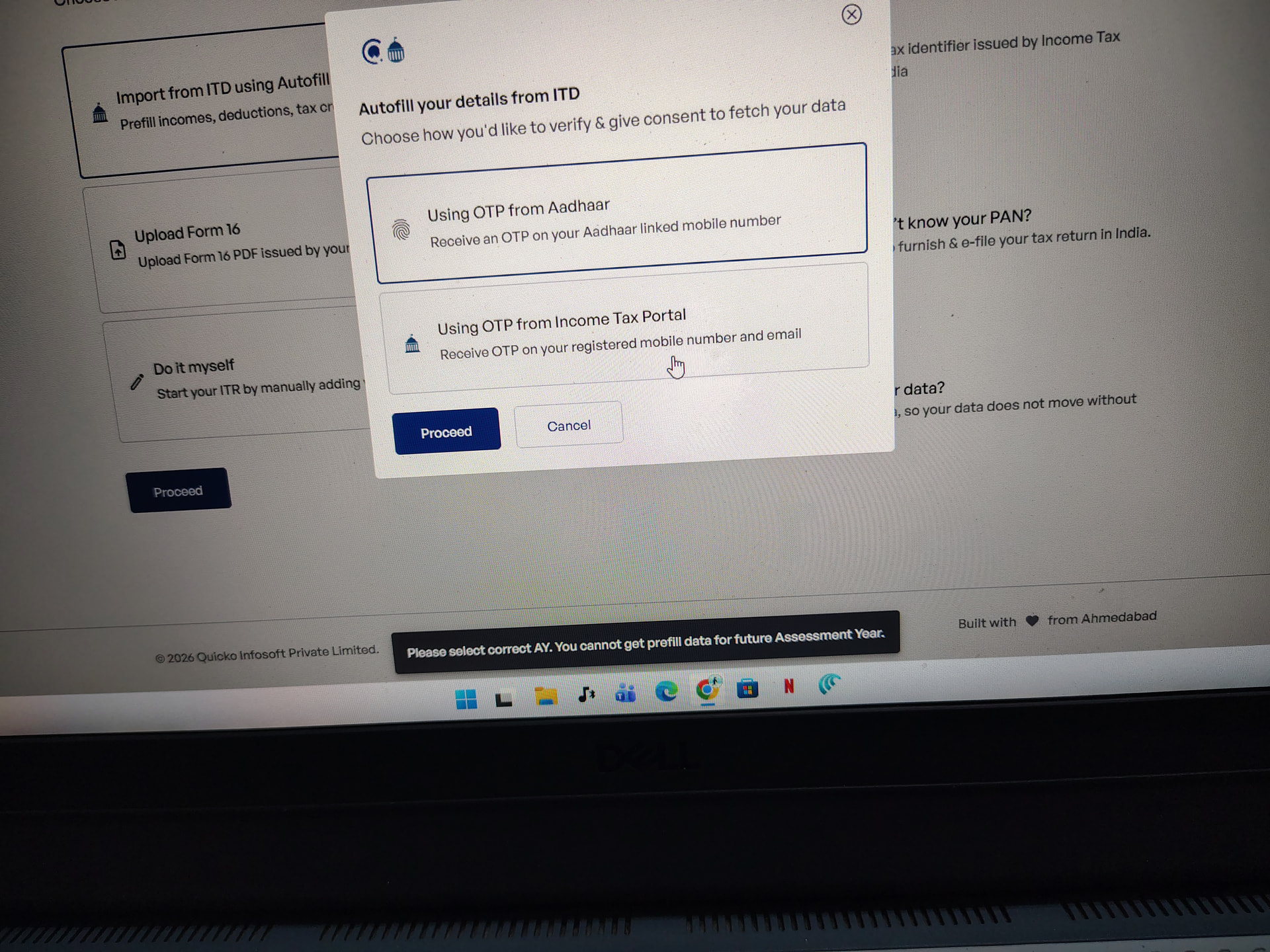
I registered on Quicko for online ITR filing and paid a subscription fee of ₹999. However, when I started the filing process, it is showing Financial Year 2026–27 instead of 2025–26. Kindly guide me on how to correct this so that I can proceed with filing my ITR correctly. I have attached a screenshot for your reference.
Hello @Divyanshu_Kumar
Autofill functionality from ITD is not working currently because Income tax department has not yet started giving A.Y. 2026-27 data on the Income tax portal itself. Once it has been made available by the ITD you will be able to fetch and autofill the data and prepare your ITR.
Hope this helps !!
If you want to change Financial Year (FY) from 2026–27 to 2025–26, the method depends on where you’re trying to change it. Here are the common cases:
 1. In Accounting Software (like Tally)
You can’t directly “edit” a financial year once created—you need to switch or create the correct one.
 Solution:
-
Go to Company Info
-
Select Alter / Create Company
-
Set:
- Financial Year From: 01-04-2025
-
Or use:
- Alt + F2 (Change Period) → Set date from 01-04-2025 to 31-03-2026
 This will display FY 2025–26
 2. In Excel or Reports
If you manually wrote FY 2026–27:
Fix:
-
Replace text to FY 2025–26
-
Or use formula:
="FY "&YEAR(A1)&"-"&RIGHT(YEAR(A1)+1,2)
(Where A1 has a date in 2025)
 3. For Tax / Compliance (India)
Under Income Tax Department India rules:
-
FY 2025–26 = 01 April 2025 to 31 March 2026
-
You cannot change FY arbitrarily
-
You must file returns based on actual financial year
If wrongly selected:
-
Correct it while filing return (ITR/GST portal)
-
Or revise return if already filed
 Key Point
-
FY is fixed by law, not flexible
-
You can only correct selection or reporting, not “change” the year itself