After you submit your income tax return, the Income Tax Department generates a one-page document called ITR-V or Income Tax Return Verification. It serves as an acknowledgement that your return has been successfully filed.
The ITR-V is only available for download after you complete e-verification. Before verification, you’ll receive an ITR Acknowledgement instead.
However, your filing process is considered complete only after you e-verify the return within 30 days of filing. Here’s a guide on How to e-verify your income tax return? So once the verification is completed, you can download the ITR-V from the income tax portal.
But why do you need ITR-V?
This document is, of course, proof that you’ve filed and verified your tax return, but it’s also essential when you’re:
- Applying for a home loan, personal loan, or credit card, as banks ask for it as income proof
- Filing visa applications for travel or immigration
- Applying for admissions or scholarships where income documents are required
How to download ITR-V on the Income Tax Portal?
Watch the walkthrough video on how to download ITR-V on the portal:
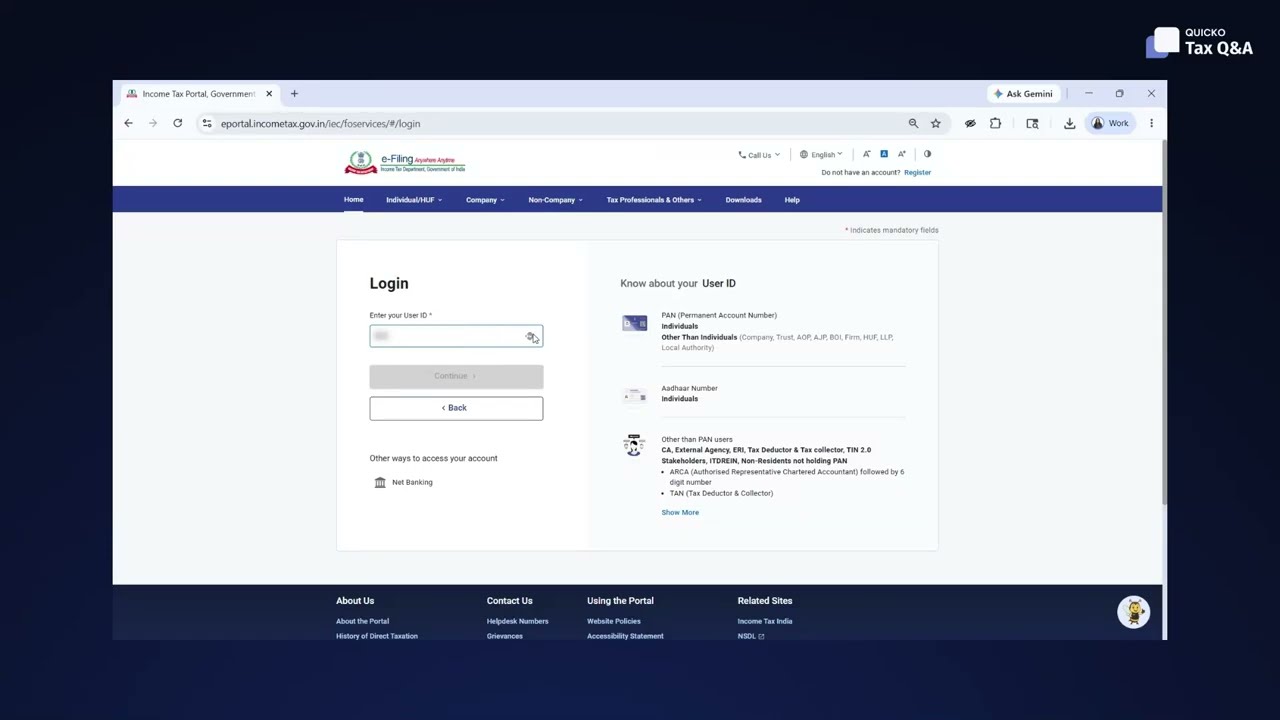
Below are the detailed steps shown in the video:
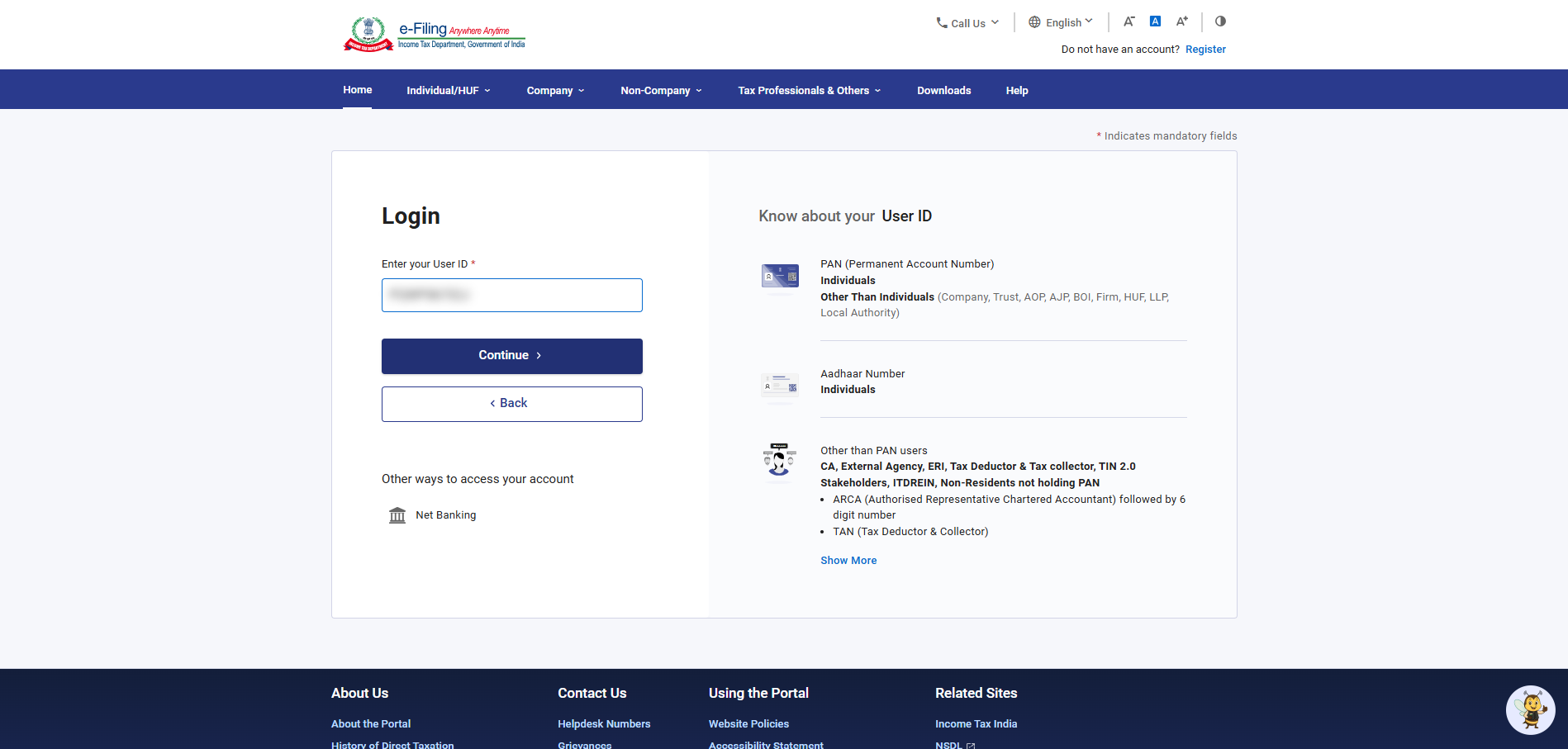
1. Log in to the Income Tax e-filing portal
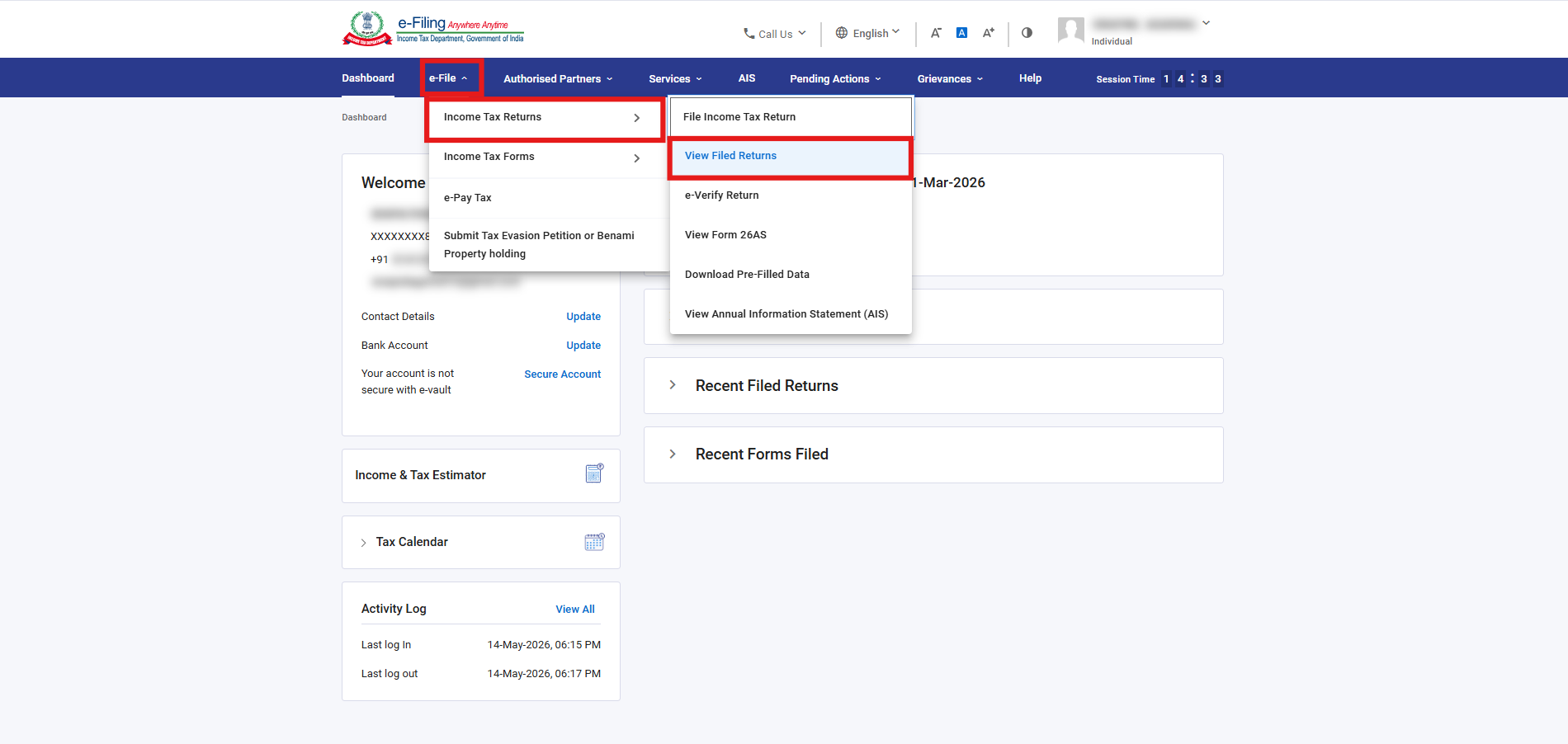
2. Navigate to e-File > Income Tax Returns > View Filed Returns
3. Find the specific Assessment Year (AY) you need from the list and click on the Download Receipt button to save your ITR-V.
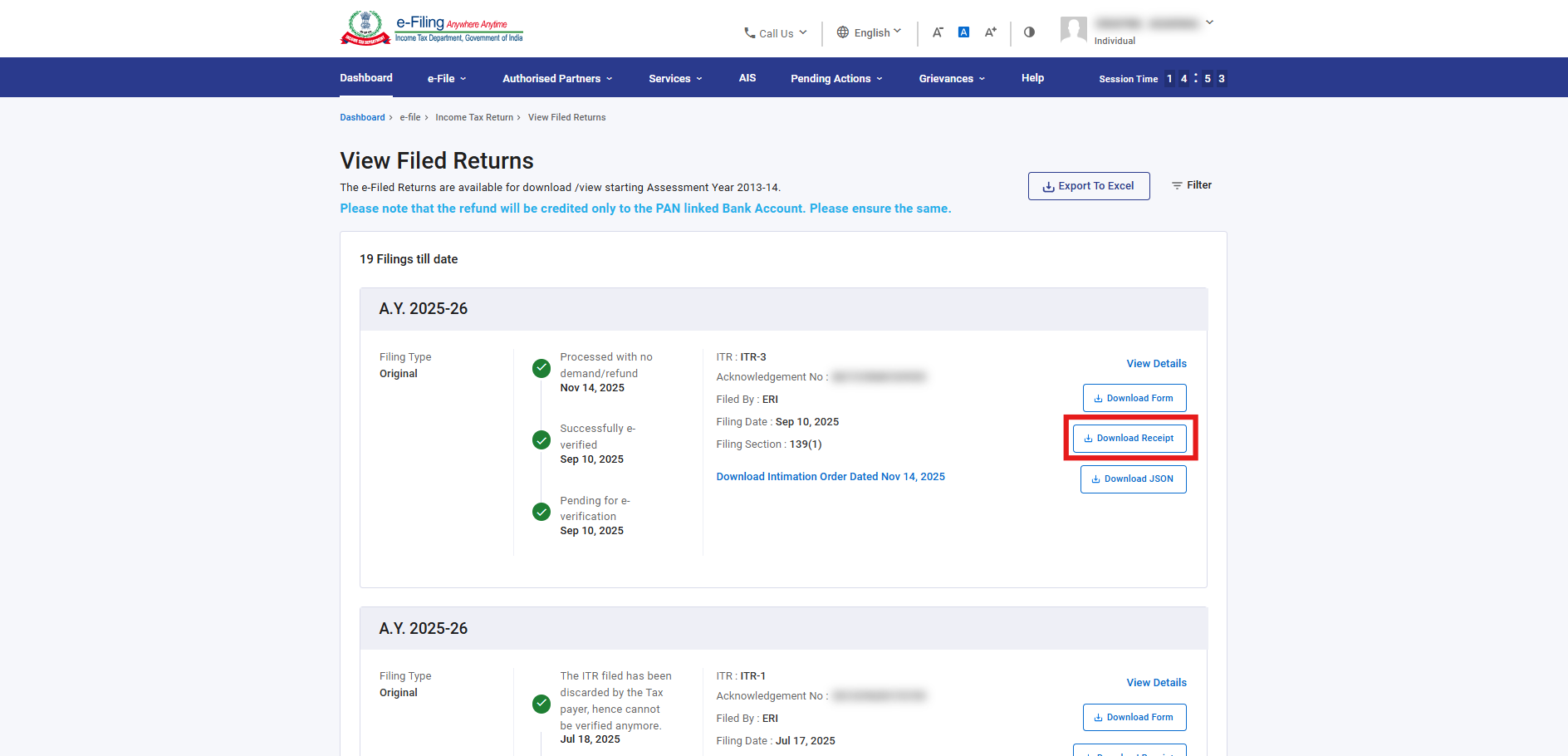
That’s it. Once your return is successfully e-verified, you can download the ITR-V for any Assessment Year anytime from the income tax portal.