Every year, when you sit down to file your return, half the effort goes into typing information the department already has: your salary details, TDS, interest income, all of it.
It’s called the pre-filled JSON, and downloading it takes under two minutes once you know where to look.
What is the prefilled JSON, and why does it matter?
The prefilled JSON is a data file generated by the Income Tax Department (ITD) using information already linked to your PAN: salary reported by your employer, TDS entries, interest credited by your bank, and other financial data the ITD receives from reporting entities.
Step-by-step: downloading the prefilled JSON
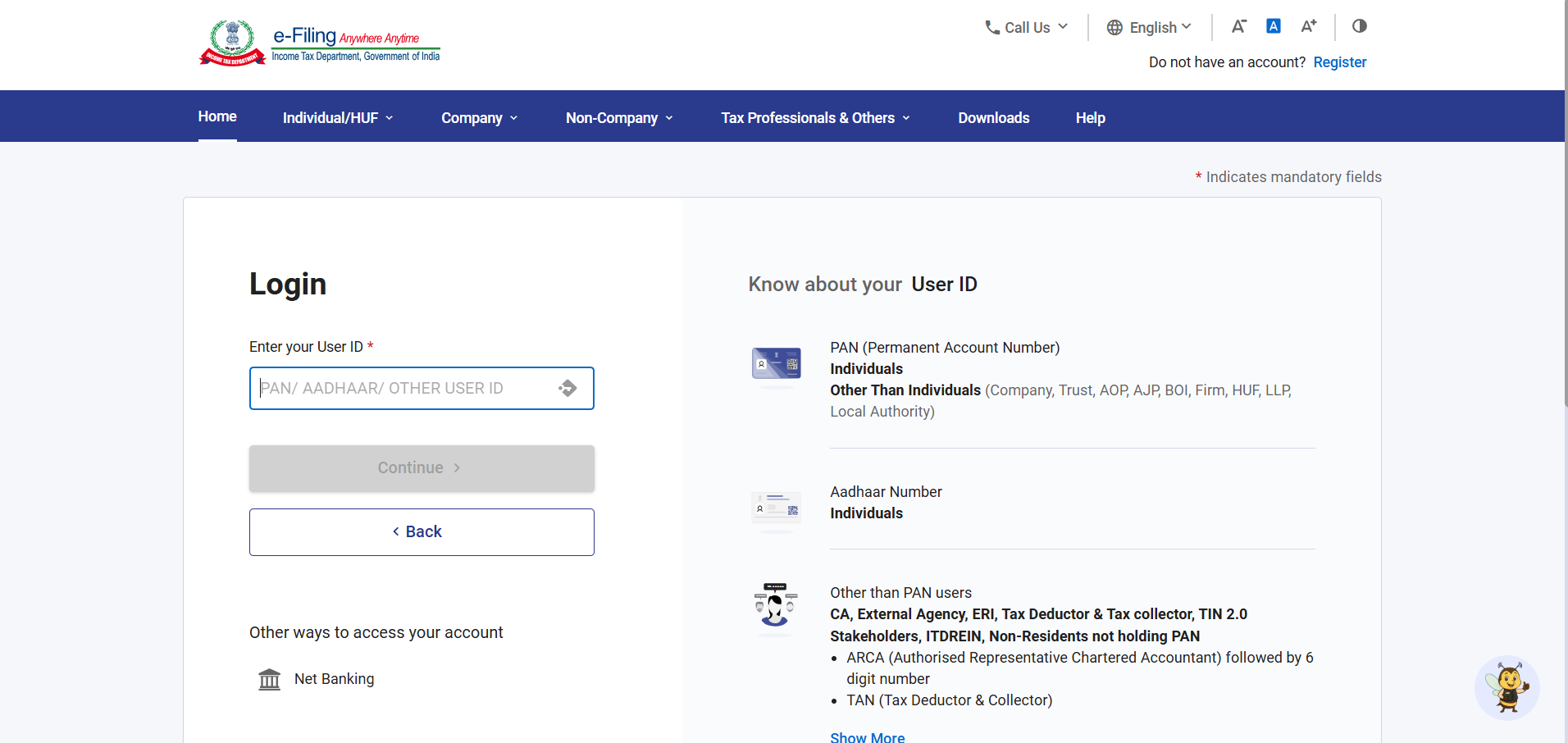
Step 1: Log in to the e-Filing portal
Go to incometax.gov.in and log in using your PAN, Aadhaar, or other registered User ID. If you’re a CA or ERI filing on behalf of someone else, the same login screen applies, just use the relevant credential type (ARCA, TAN, and so on).
Step 2: Navigate to Download Pre-Filled Data
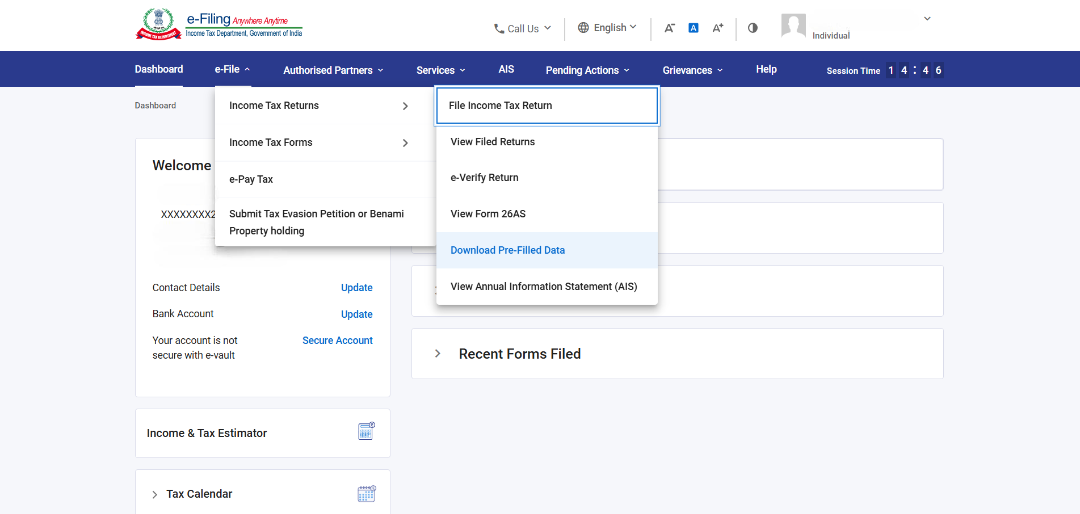
From the Dashboard, go to e-File > Income Tax Returns > Download Pre-Filled Data. It sits in the same dropdown as File Income Tax Return and View Filed Returns, so it’s easy to miss on a first pass.
Step 3: Select the Assessment Year
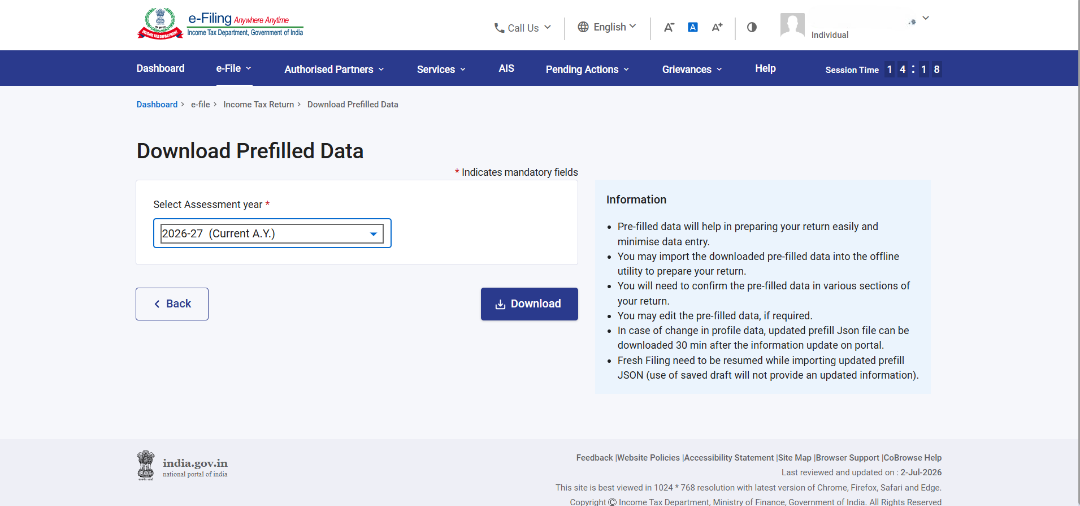
On the Download Pre-Filled Data screen, pick the year from the dropdown. It defaults to the current Assessment Year (2026-27 at the time of writing). Only select a different year if you’re filing a belated or revised return for an earlier one.
Step 4: Hit Download
Click Download, and the JSON file saves to your device. That’s it. No OTP, no additional confirmation screen.