If you’ve paid your advance tax or self-assessment tax and forgot to download the challan receipt, don’t worry. Every challan paid through the e-Pay Tax service is available on the Income Tax e-Filing portal. If your payment was made under the older system, you can also retrieve it through a separate process.
Download a Recently Paid Challan (e-Pay Tax)
-
Log in to the e-Filing portal
Visit 1. incometax.gov.in and sign in using your PAN. -
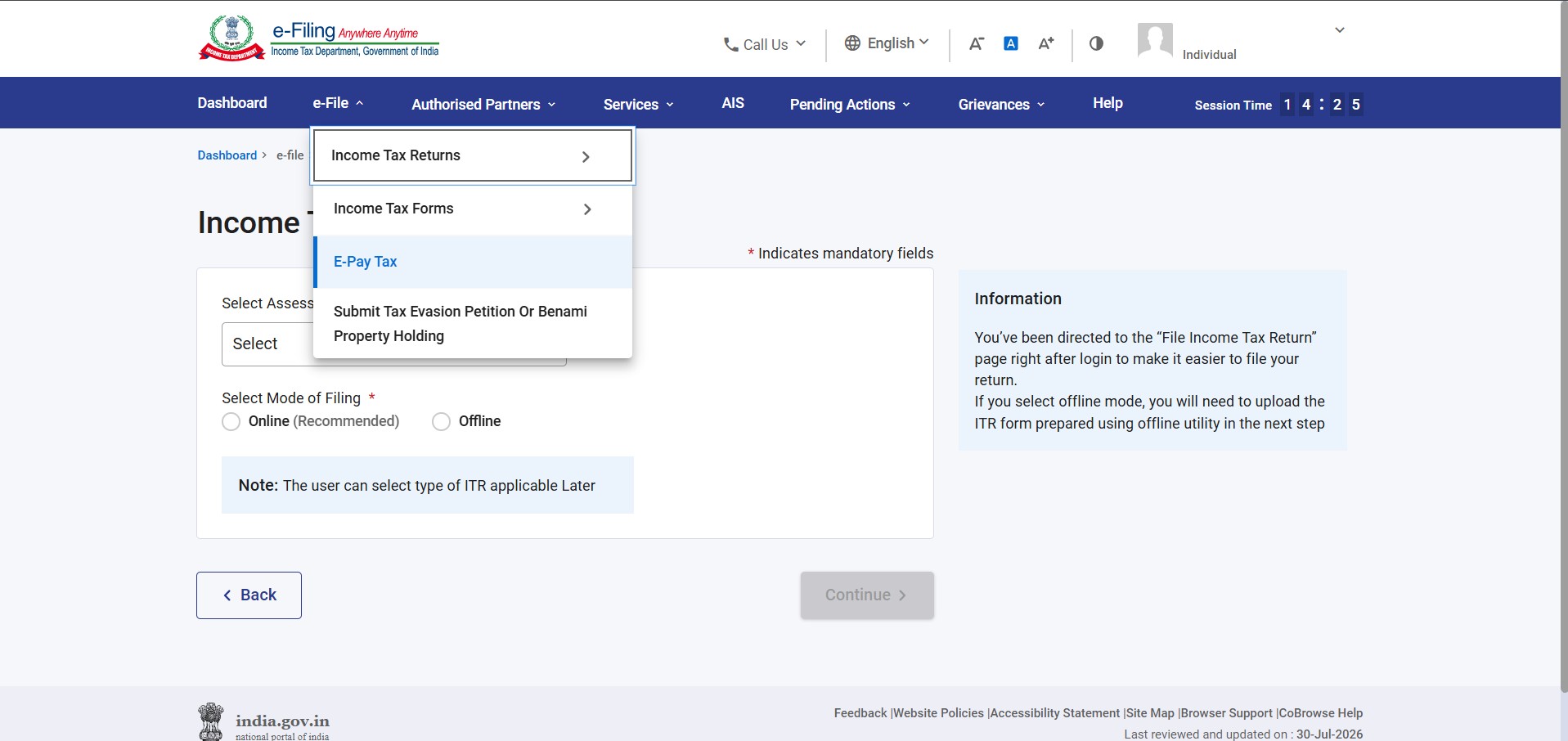
Open e-Pay Tax
Go to e-File → e-Pay Tax. -
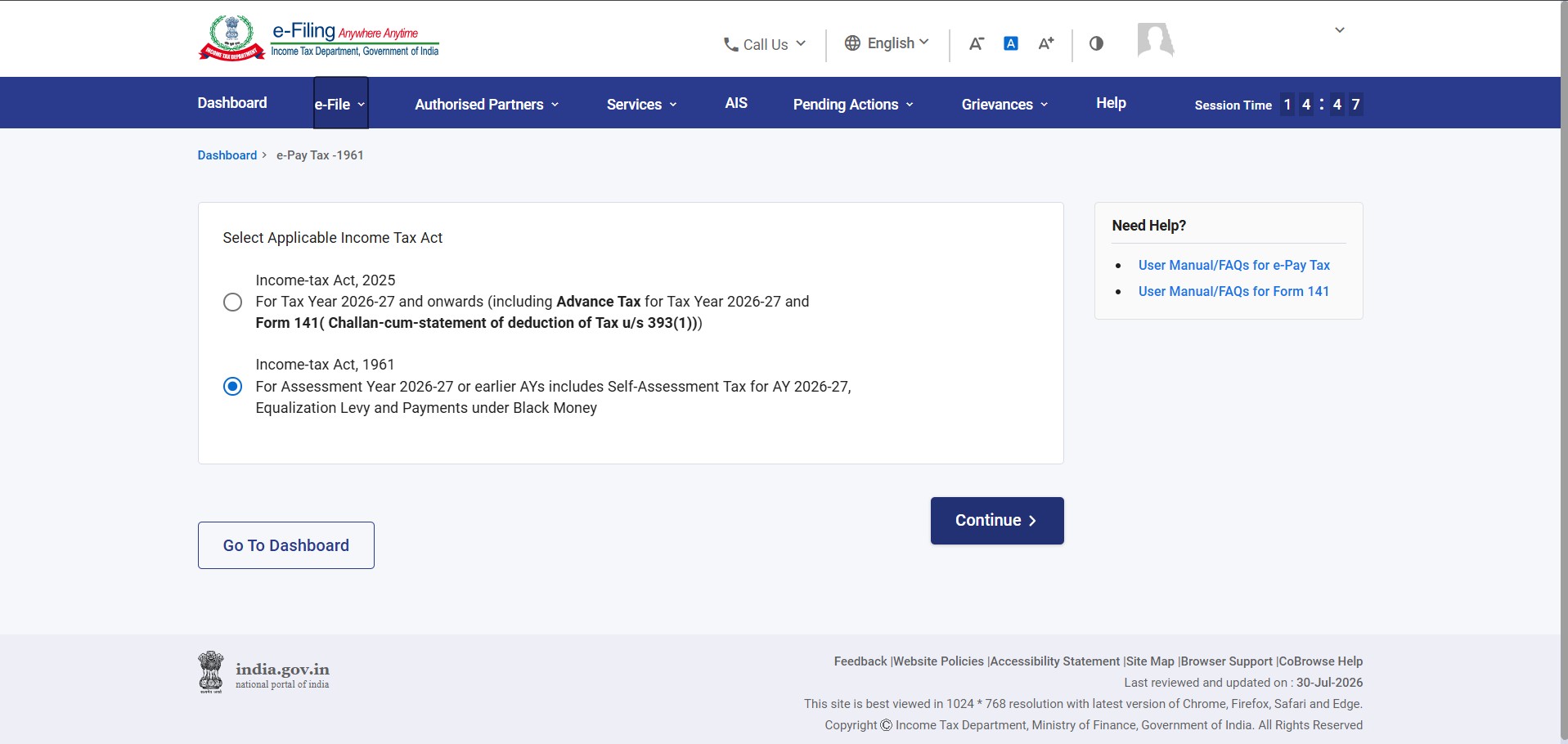
Select the applicable Income Tax Act
Choose either:-
Income Tax Act, 1961, or
-
Income Tax Act, 2025,
depending on the period for which you made the payment.
-
-
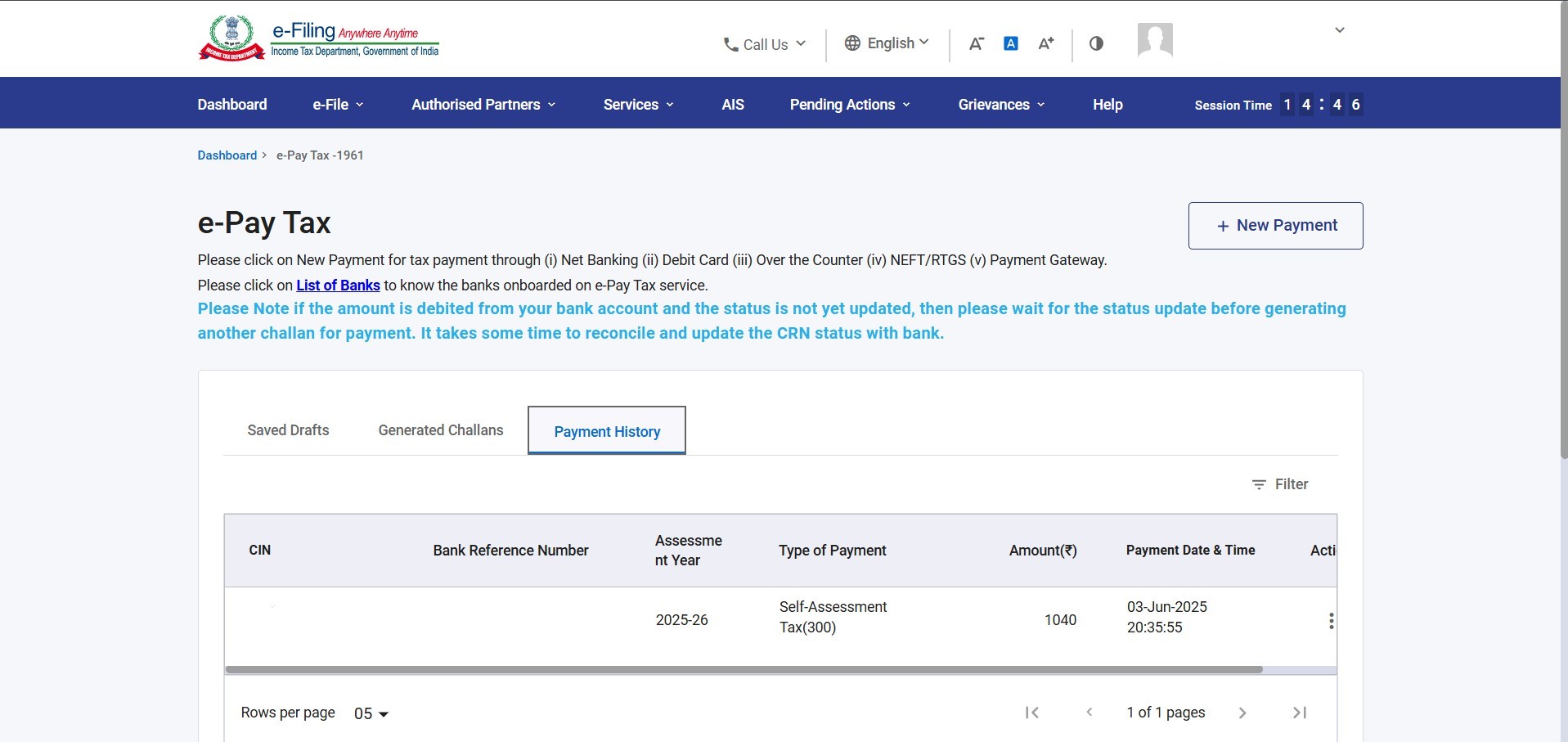
Open Payment History
Click the Payment History tab to view all challans with a Paid status. -
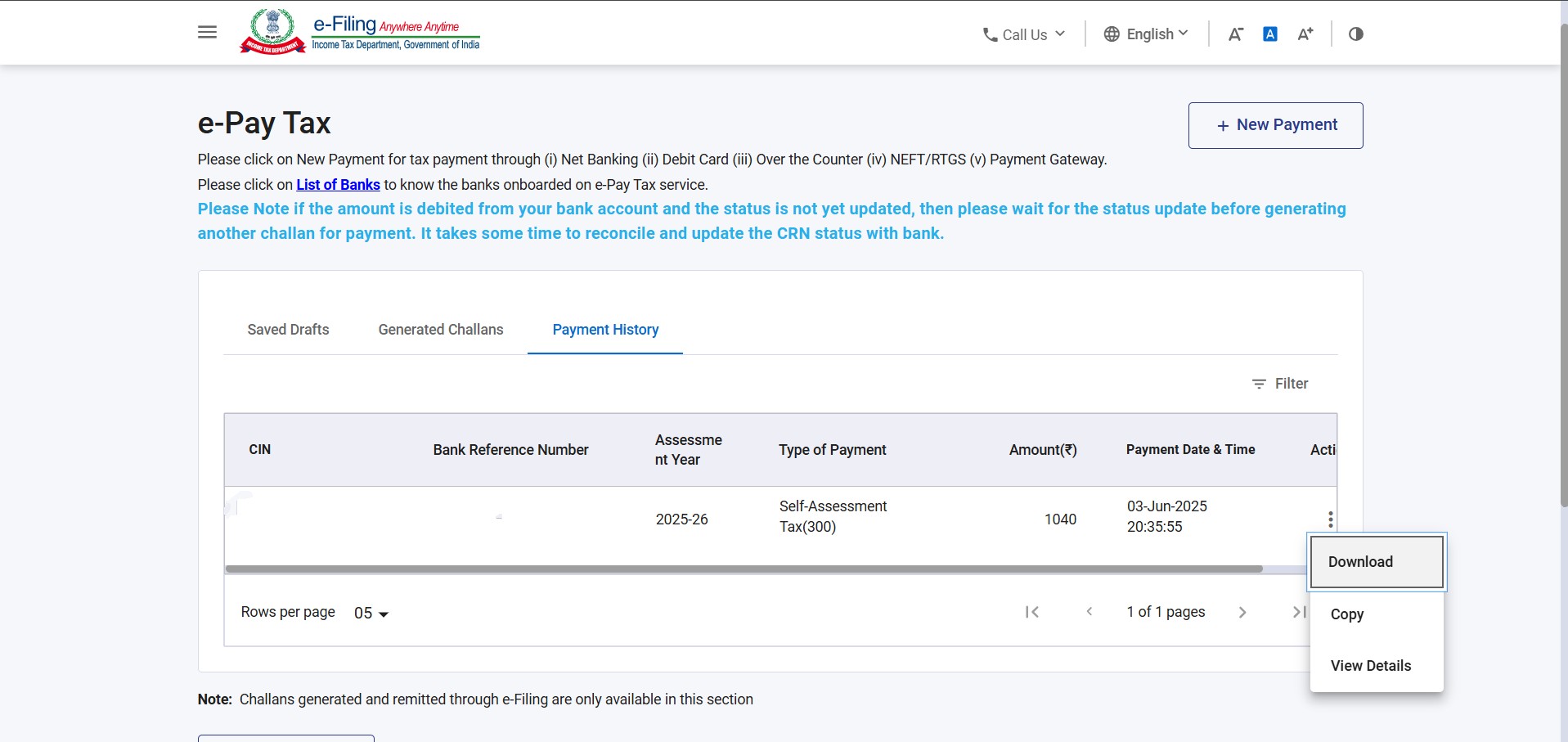
Download the Challan Receipt
Select the relevant payment and download the challan receipt. It contains:-
Challan Identification Number (CIN)
-
BSR Code of the collecting bank branch
-
Date of payment
-
Other payment details required to claim the tax credit in your ITR
-
Forgot to Download the Challan?
If you closed the browser without saving the receipt, simply log back in to the e-Filing portal, select the correct Income Tax Act, and open Payment History. Your challan receipt will still be available for download.