TDS (Tax Deducted at Source) is deducted at almost every stage of receiving income, whether it’s your salary, rent from a tenant, interest from your bank, professional fees from a client, or even proceeds from selling a property.
However, TDS is often deducted without factoring in your actual tax liability. If your total tax liability for the Tax Year is less than the TDS being deducted, or if your income is below the basic exemption limit, you may end up paying more tax than you actually owe.
And here’s where you need to file Form 128 to request a lower or nil TDS deduction certificate on your income. We’ve covered this in detail here: What’s Form 128?
Once the certificate is issued by the Income Tax Department, the deductor must apply the rate specified in the certificate instead of the standard TDS rate or deduct no TDS if a nil rate is approved.
To get this certificate, you’ll need to file Form 128 on the TRACES (TDS Reconciliation Analysis and Correction Enabling System) portal. Here’s how you can do it:
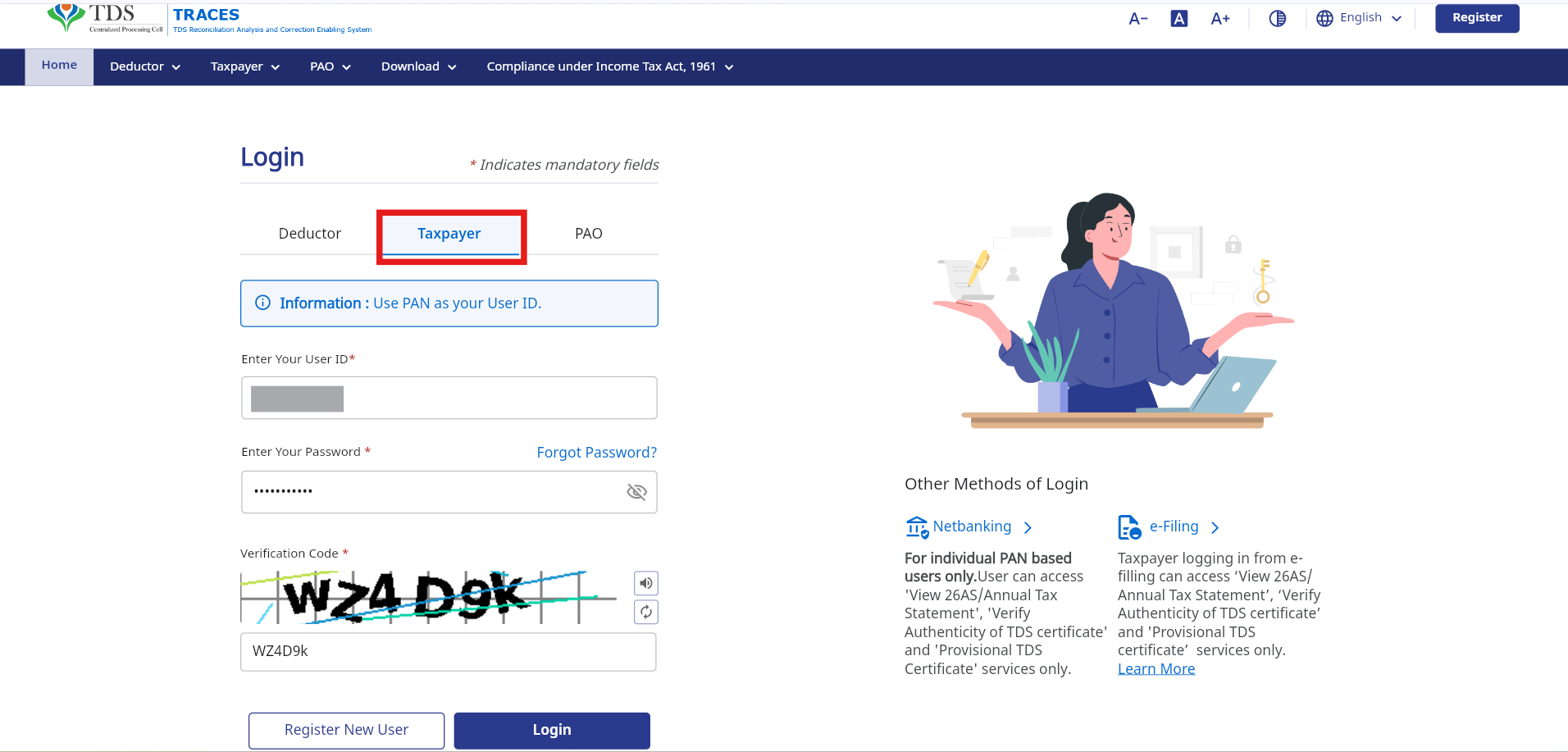
1. Log in to the TRACES Portal as a Taxpayer
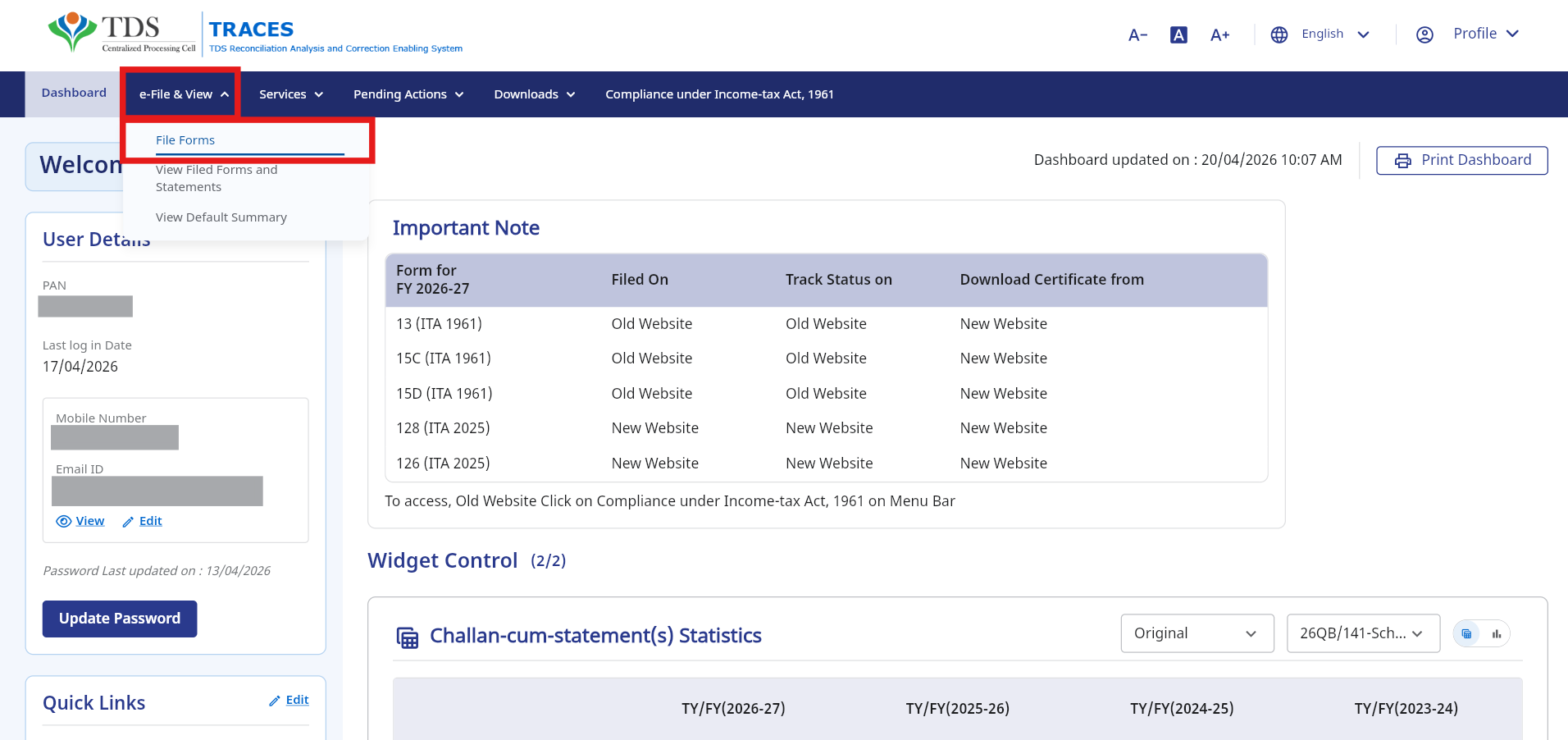
2. Navigate to e-File & View > File Forms
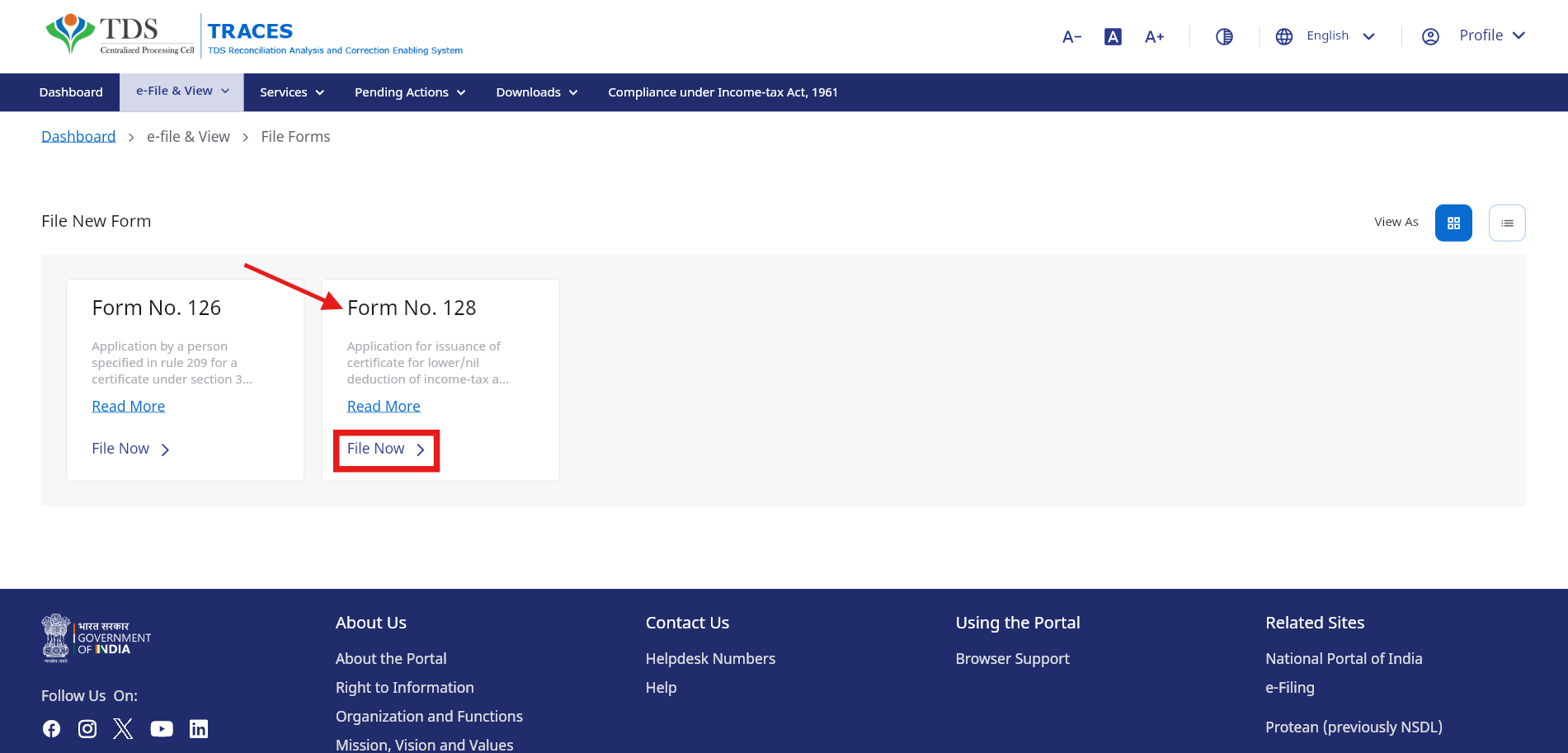
3. Select Form No. 128 and click File Now
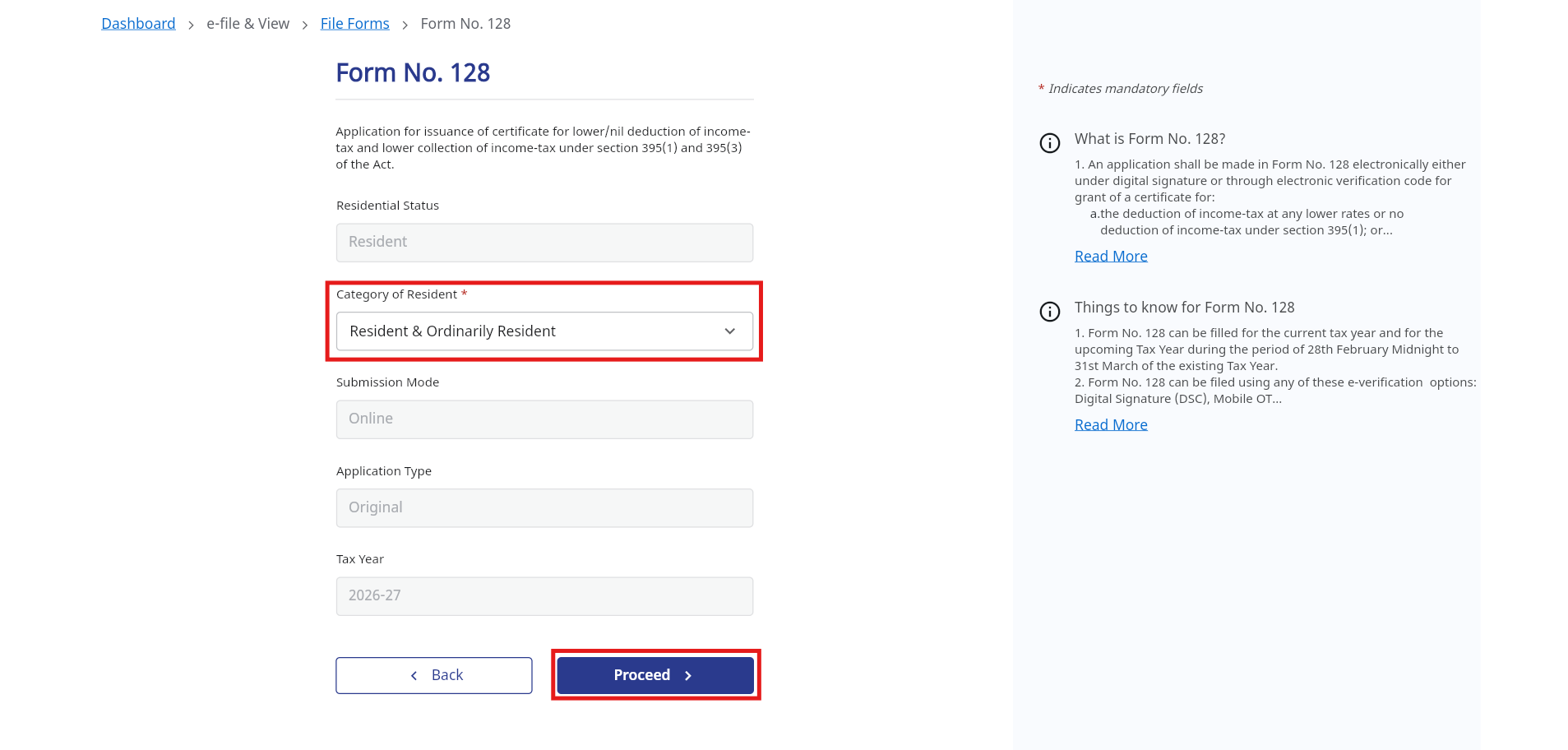
4. Most details will be prefilled from your profile. Select your Residential Status and Proceed.
5. In Part A: Review your basic information and Proceed
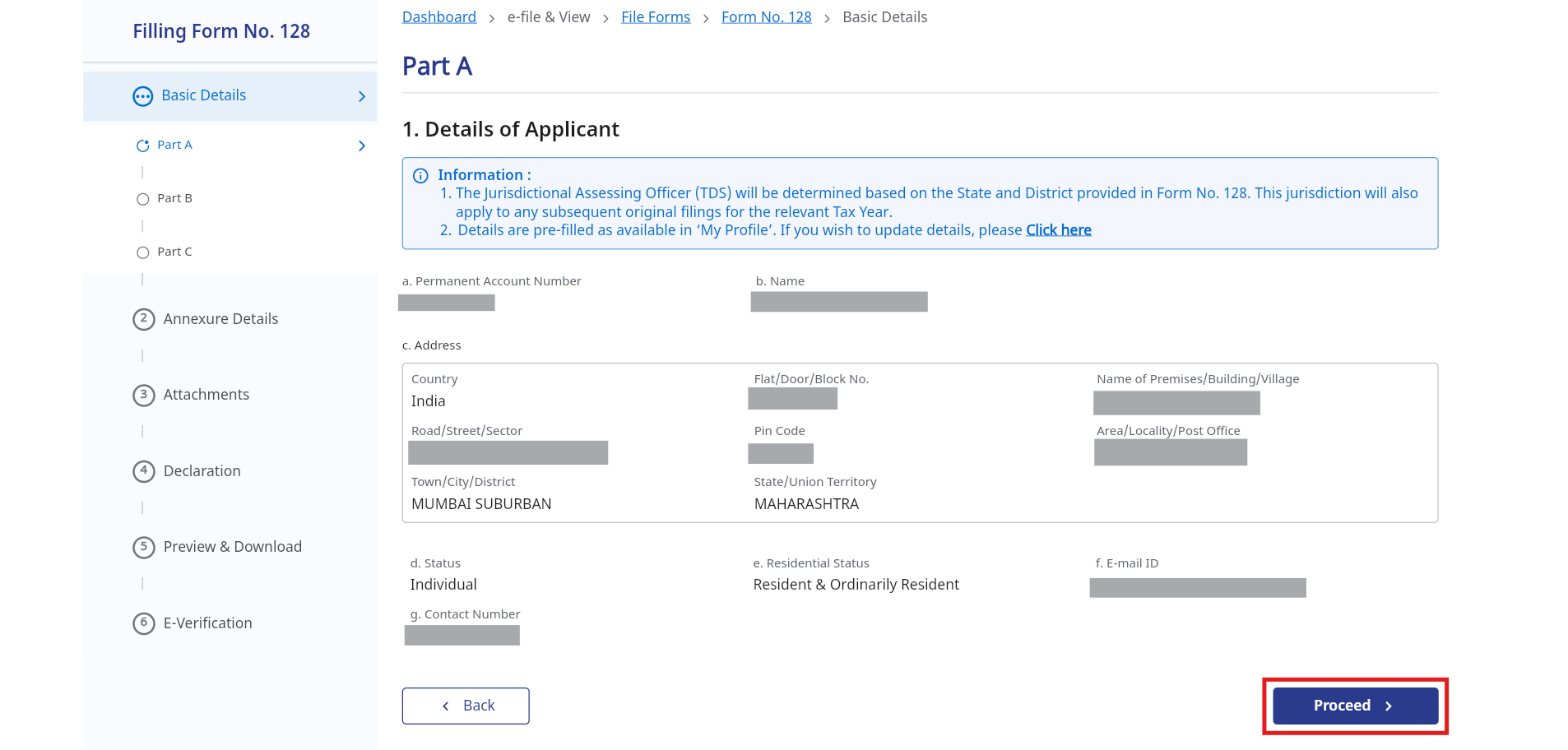
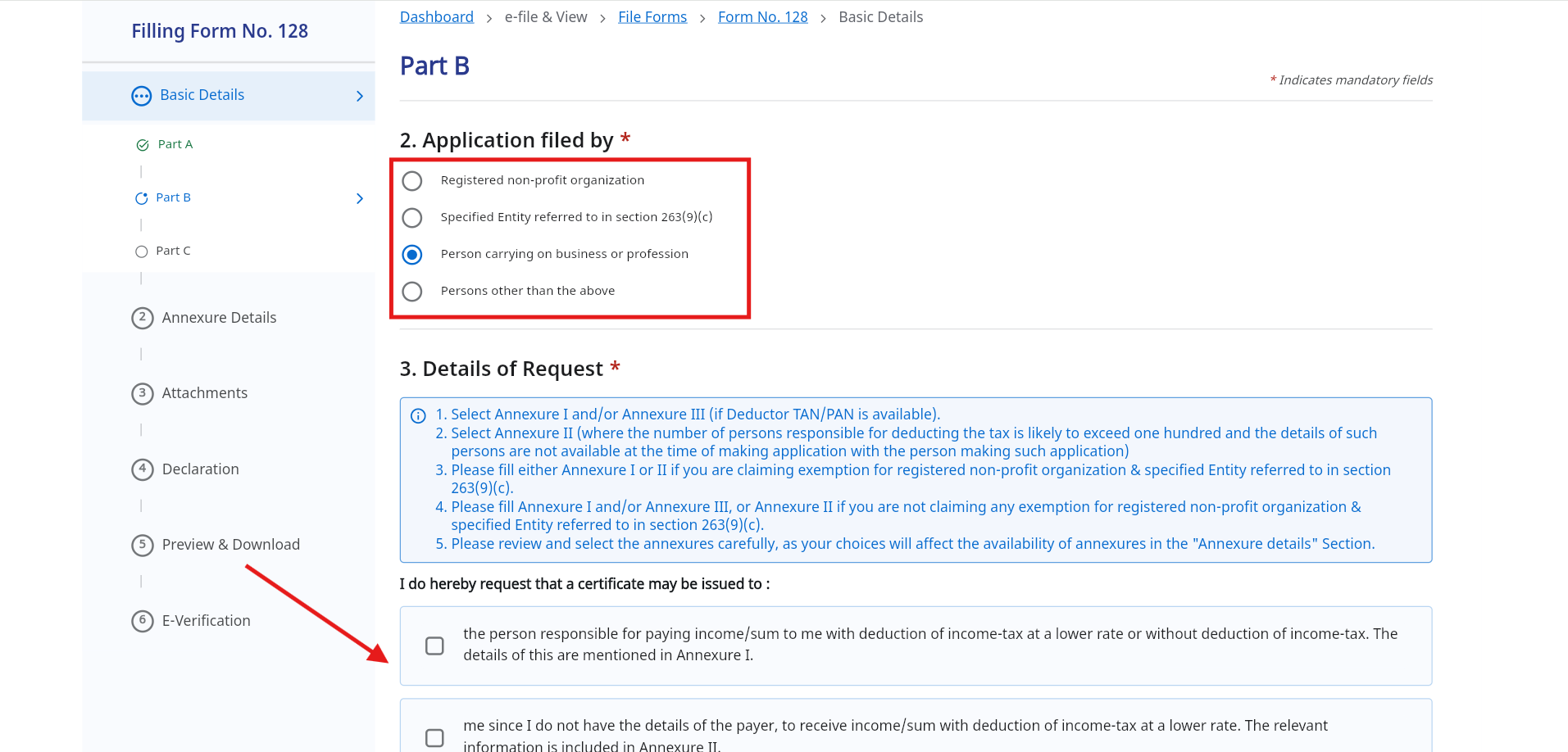
6. In Part B select who is filling the application and select the request details > Proceed
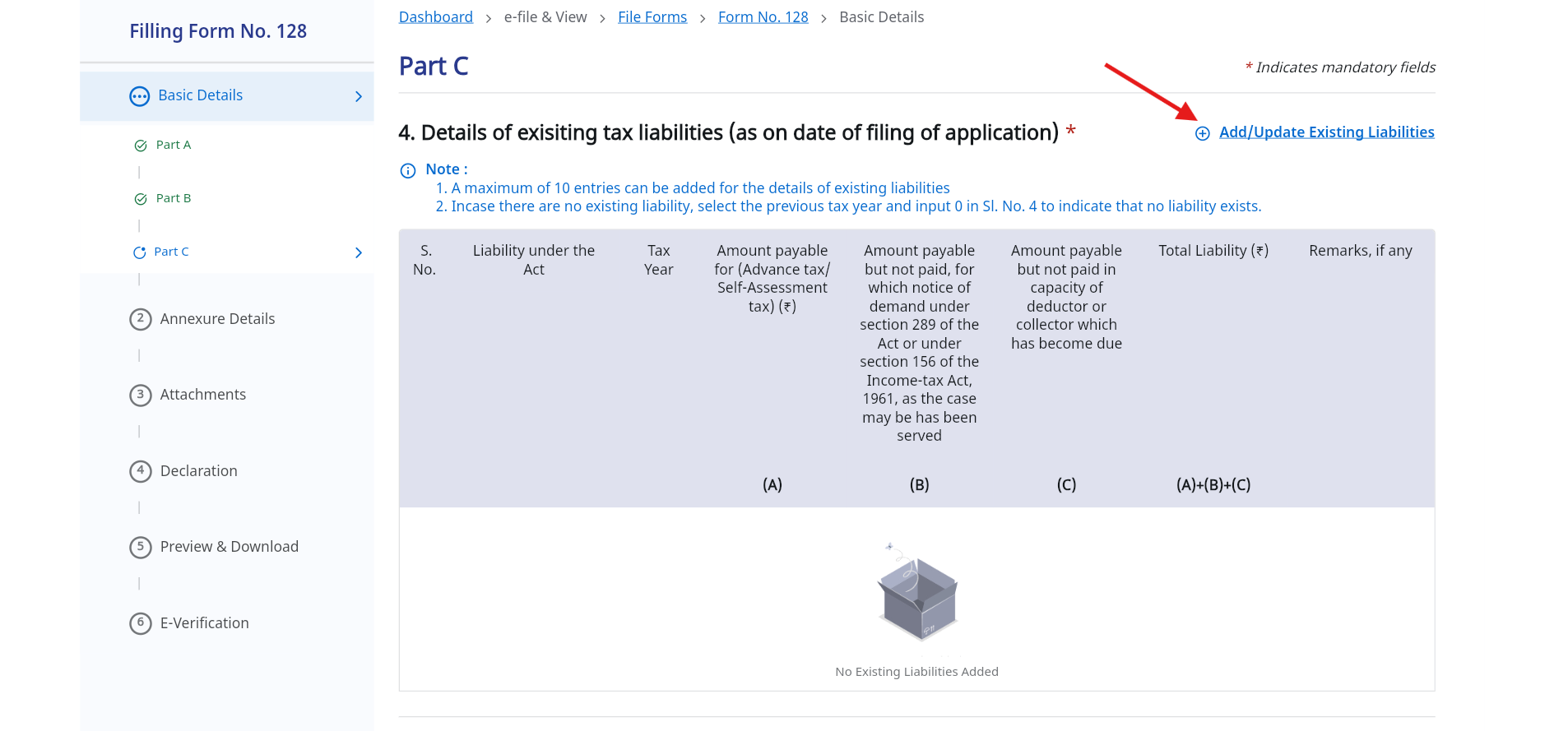
7. In Part C click on Add/Update Existing Liabilities if you have any
7a. Fill in the details of the income for which you need the lower deduction
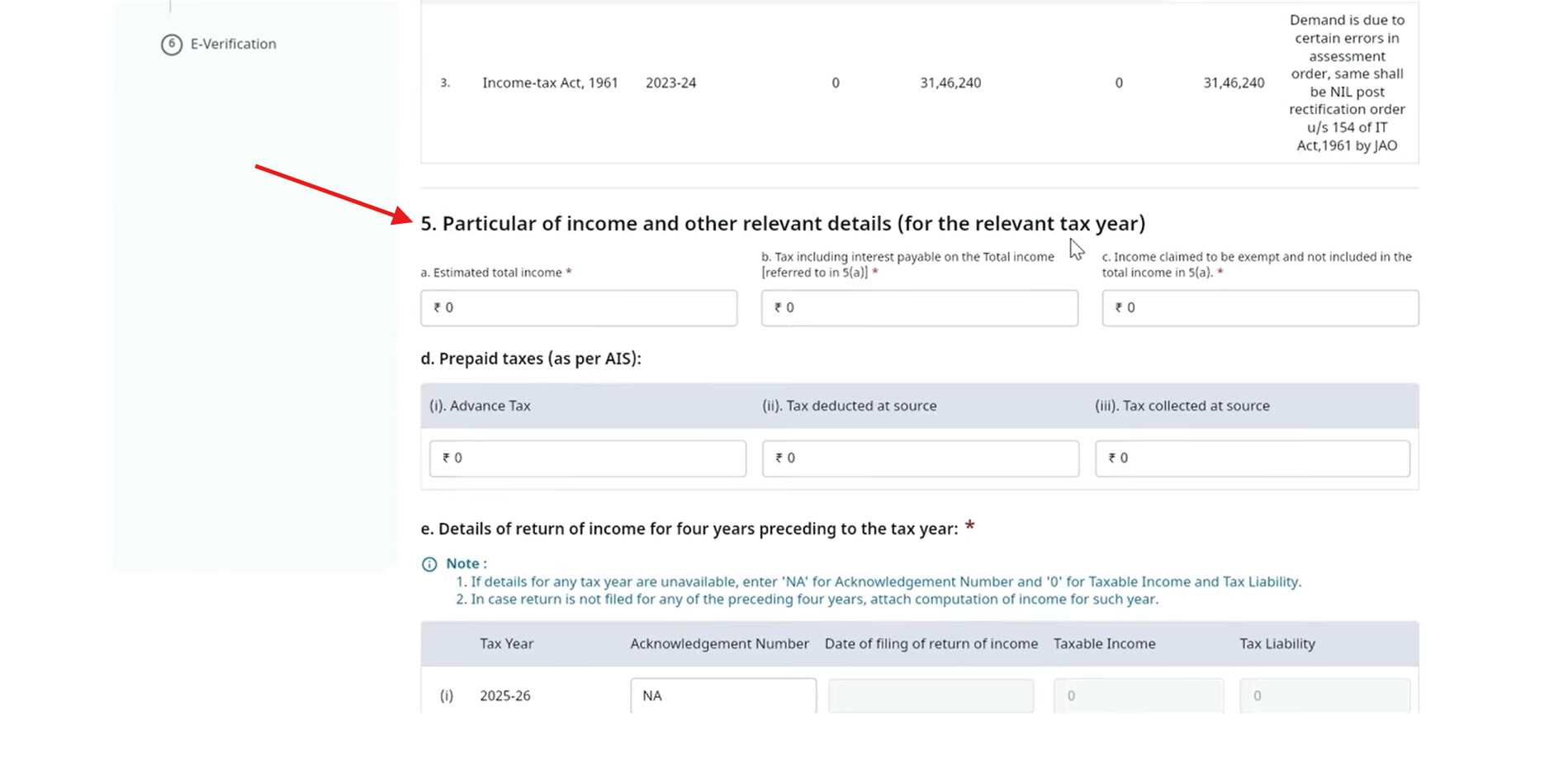
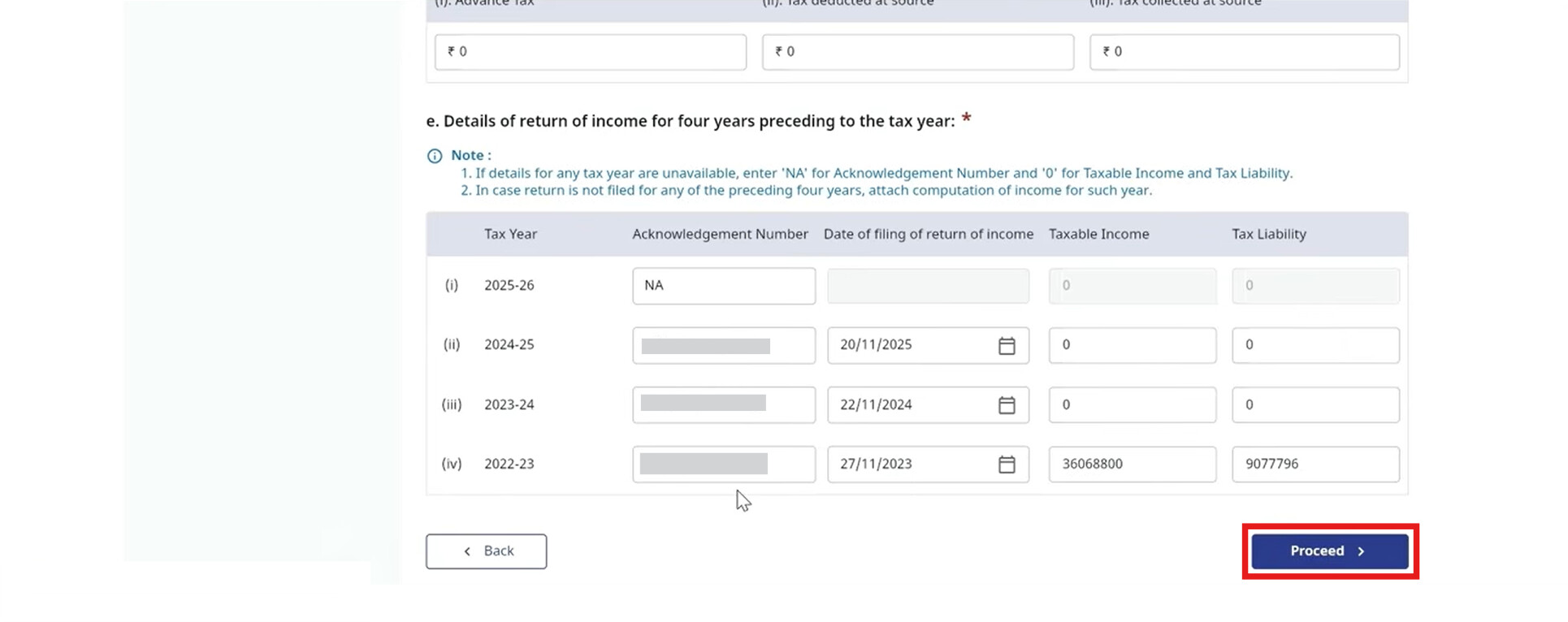
7b. Provide the Acknowledgement Numbers and Taxable Income for the last four years > Proceed
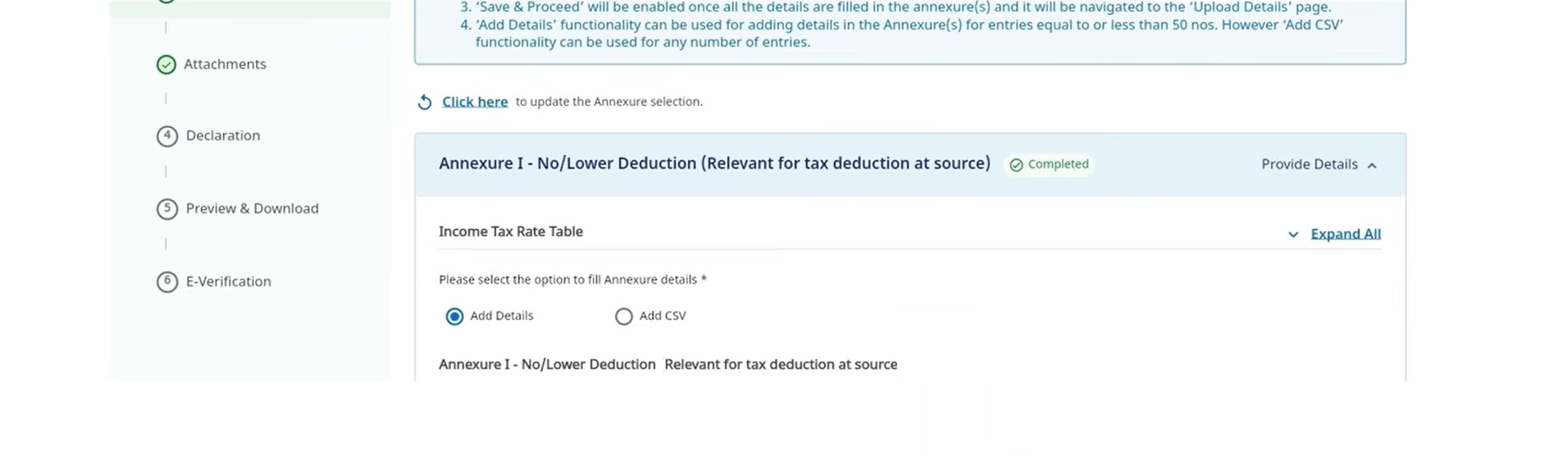
8. Fill in the Annexure I details and Save > Save & Proceed
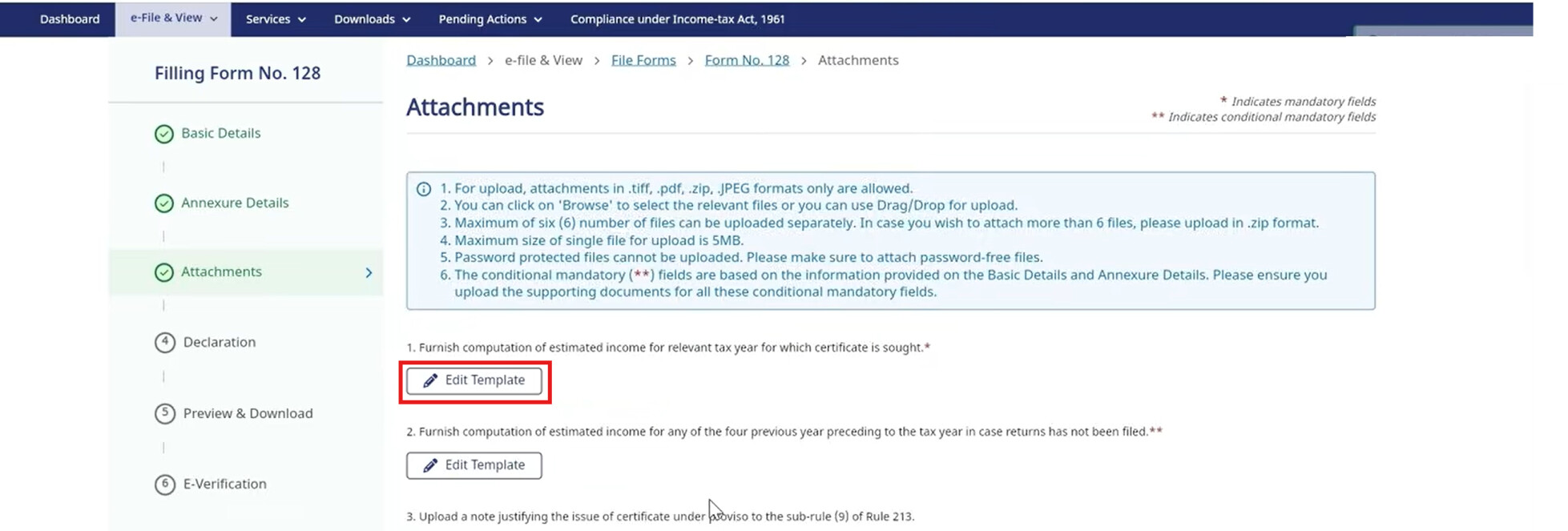
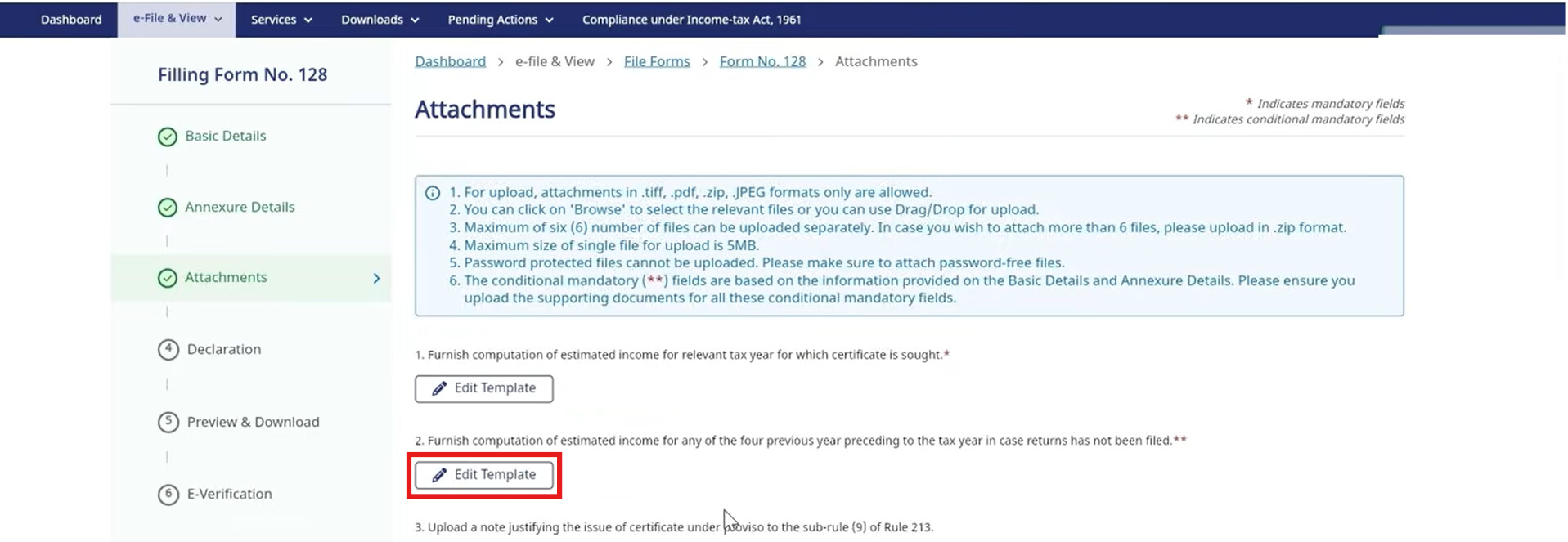
9. In the Attachments section, click Edit Template to perform the computation of your Estimated Income for the current Tax Year
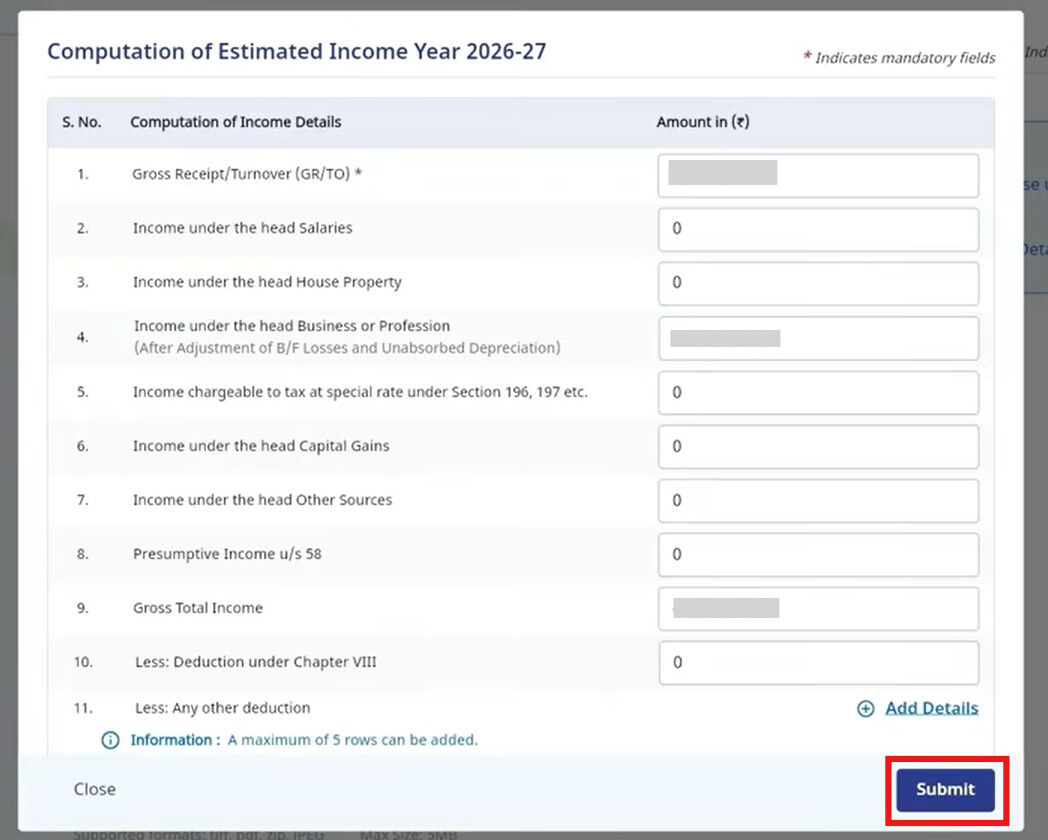
9a. Do the computation of your estimated income for the current tax year > Submit
9b. Click on Edit Template of estimated income for any of the four year preceding to the tax year
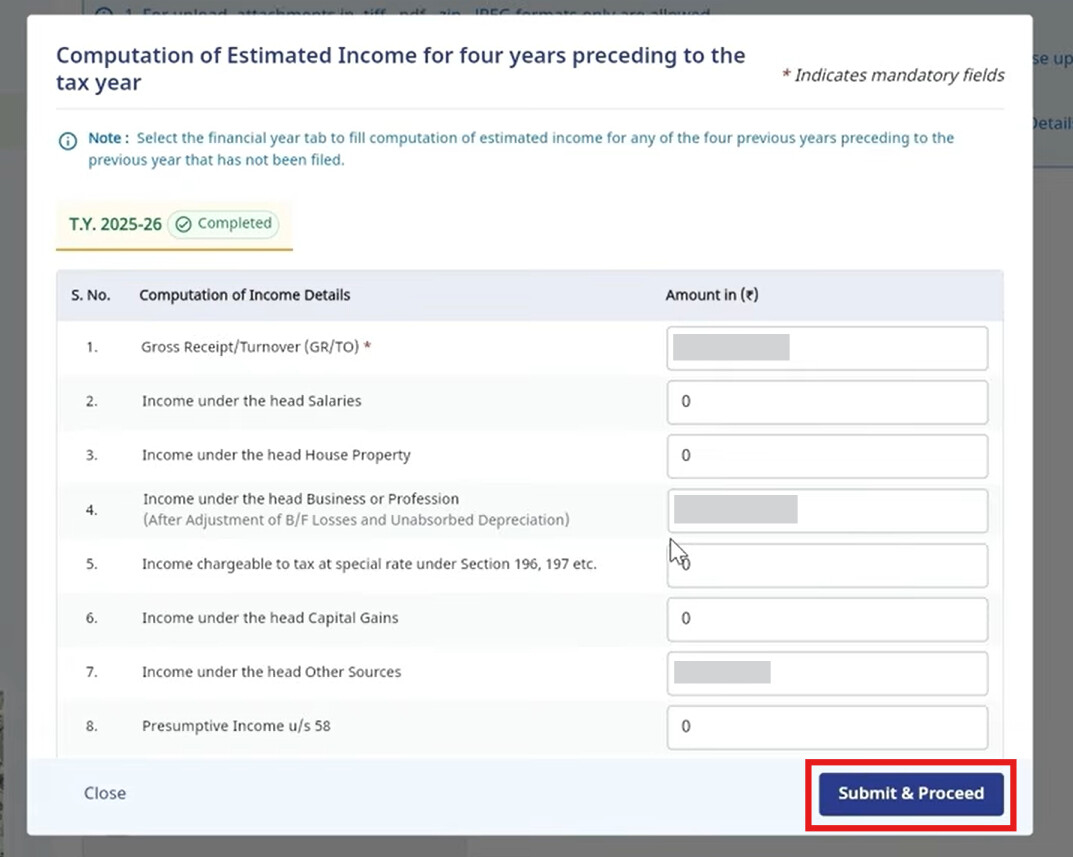
9c. Fill the details of estimated income for any of the four years > Submit & Proceed
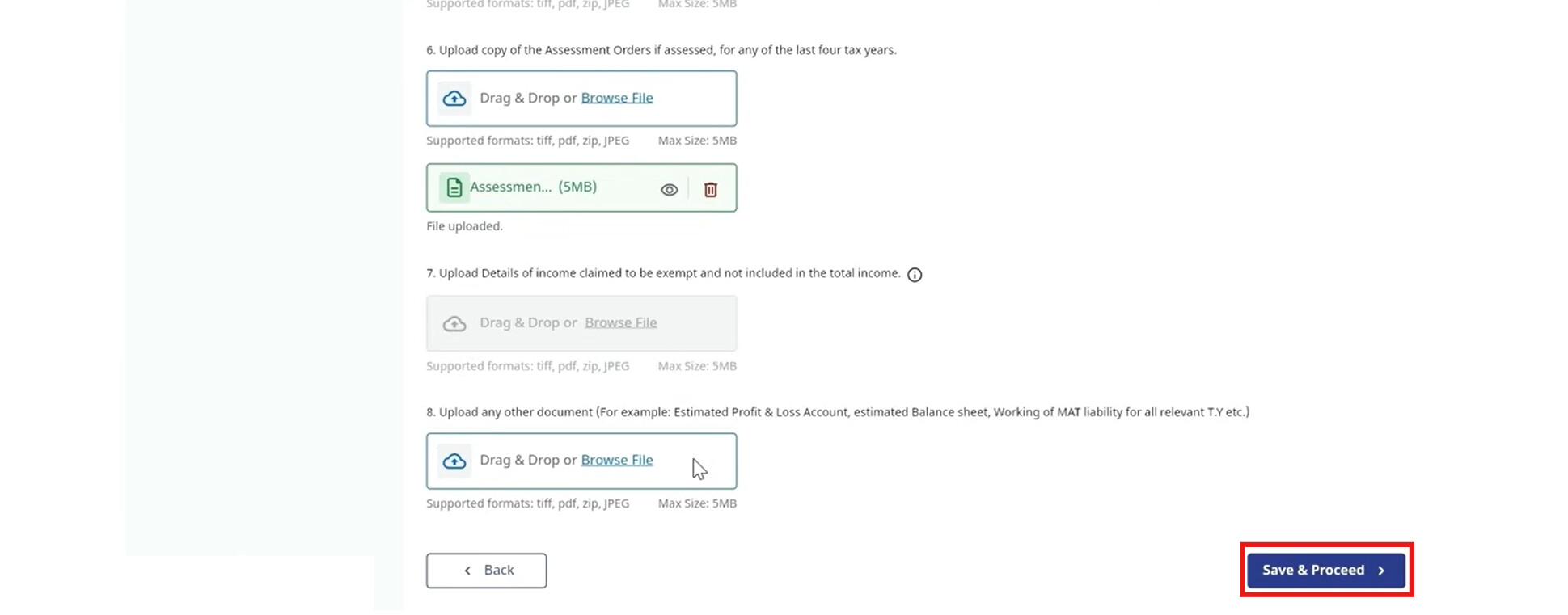
9d. Upload any required supporting documents > Save & Proceed
You’ll then have to give Declaration of the information you’ve provided in the Form is correct and use the Preview function to check for errors. Once the Form is good to submit, E-Verify the form using your Digital Signature (DSC) or an Aadhaar-based EVC and hit Submit.
What happens next?
Once you’ve submitted Form 128, your application will be reviewed by the Income Tax Department. If approved, a Lower/Nil TDS certificate will be issued within 2-4 weeks.
Now you can share it with your deductor, and they’ll start applying the reduced (or zero) TDS rate on your payments.
Hope this helps!