With the Income Tax Act, 2025 now in effect, the Income Tax Portal has been redesigned to handle both the old and new Acts simultaneously.
The tax payment interface now includes a critical first step that wasn’t there before: choosing which Income Tax Act your payment falls under.
This matters because we’re in a transition year where some payments belong to Assessment Year 2026-27 under the 1961 Act, while others belong to Tax Year 2026-27 under the 2025 Act. And if you select the wrong one, your payment could get credited to the wrong year.
Here’s how to tell which Act to choose.
Which Act should you select?
If the income was earned before April 2026, you’re using the 1961 Act. If it’s from April 2026 onwards, you’re using the 2025 Act. Here’s how your payment fits into each:
Select Income-tax Act, 1961 for paying:
- Self-assessment tax for FY 2025-26 (AY 2026-27)
- Tax on income earned up to 31 March 2026
- Any demand raised for AY 2026-27 or earlier years
- Form 26QB/26QC/26QD (property-related TDS)
Select Income-tax Act, 2025 for paying:
- Advance tax for Tax Year 2026-27 (income from April 2026 onwards)
- Self-assessment tax for TY 2026-27
- Any tax liability for income earned from 1 April 2026
Now that you know which Act applies to your payment, let’s walk through how to pay tax on the portal:
Paying tax for AY 2026-27 or earlier
If you’re paying self-assessment tax, old demands, property TDS for Assessment Year 2026-27 or earlier AYs, here’s a complete video guide:
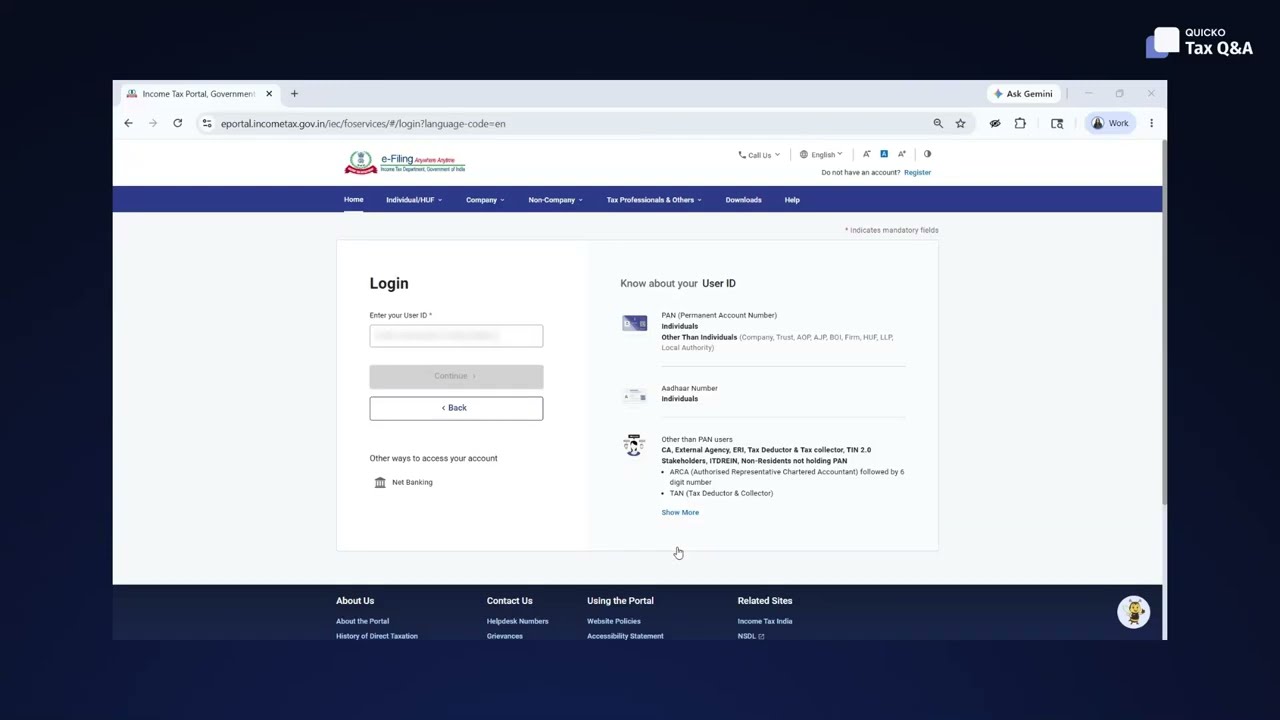
Below are the detailed steps shown in the video:
- Log in to the Income Tax e-filing portal
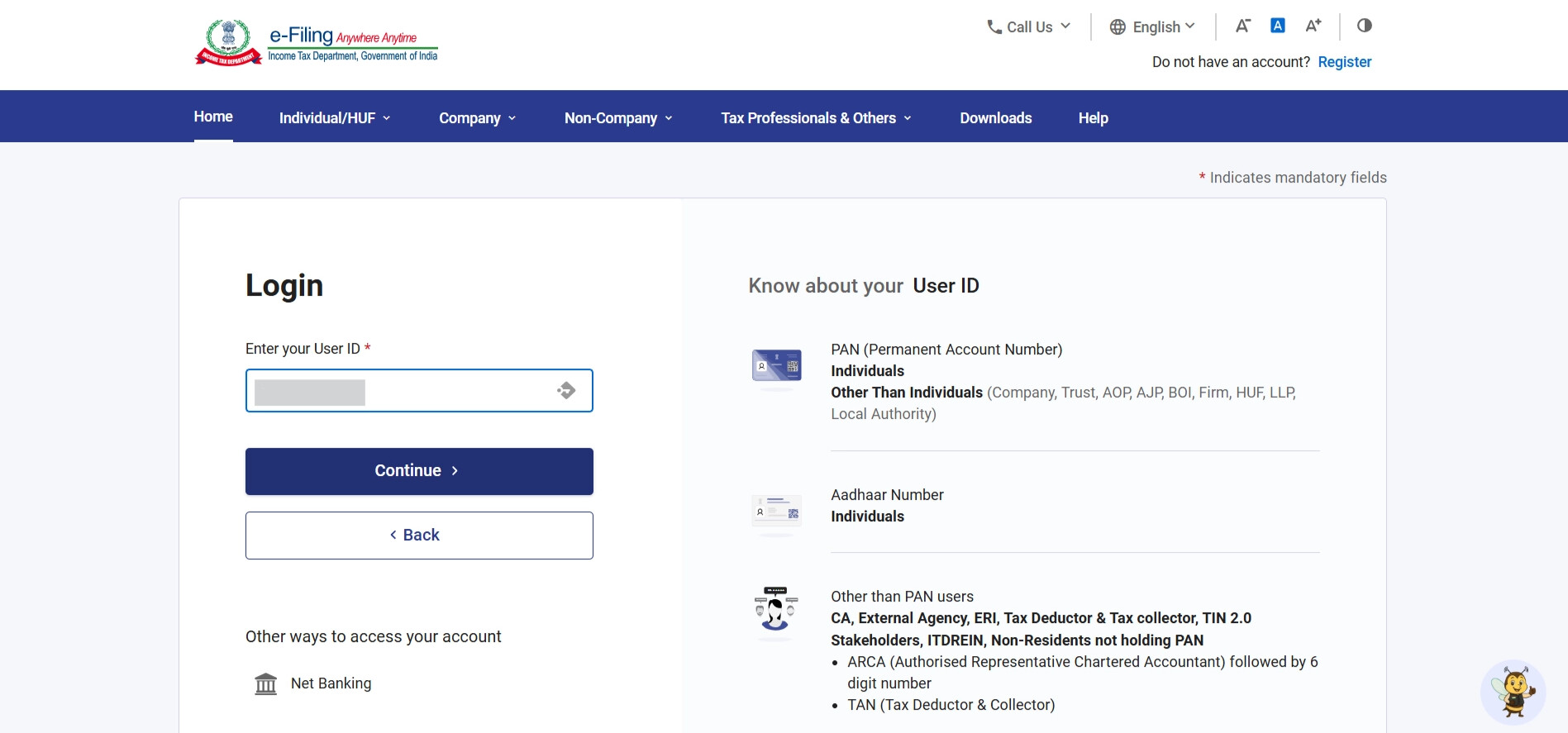
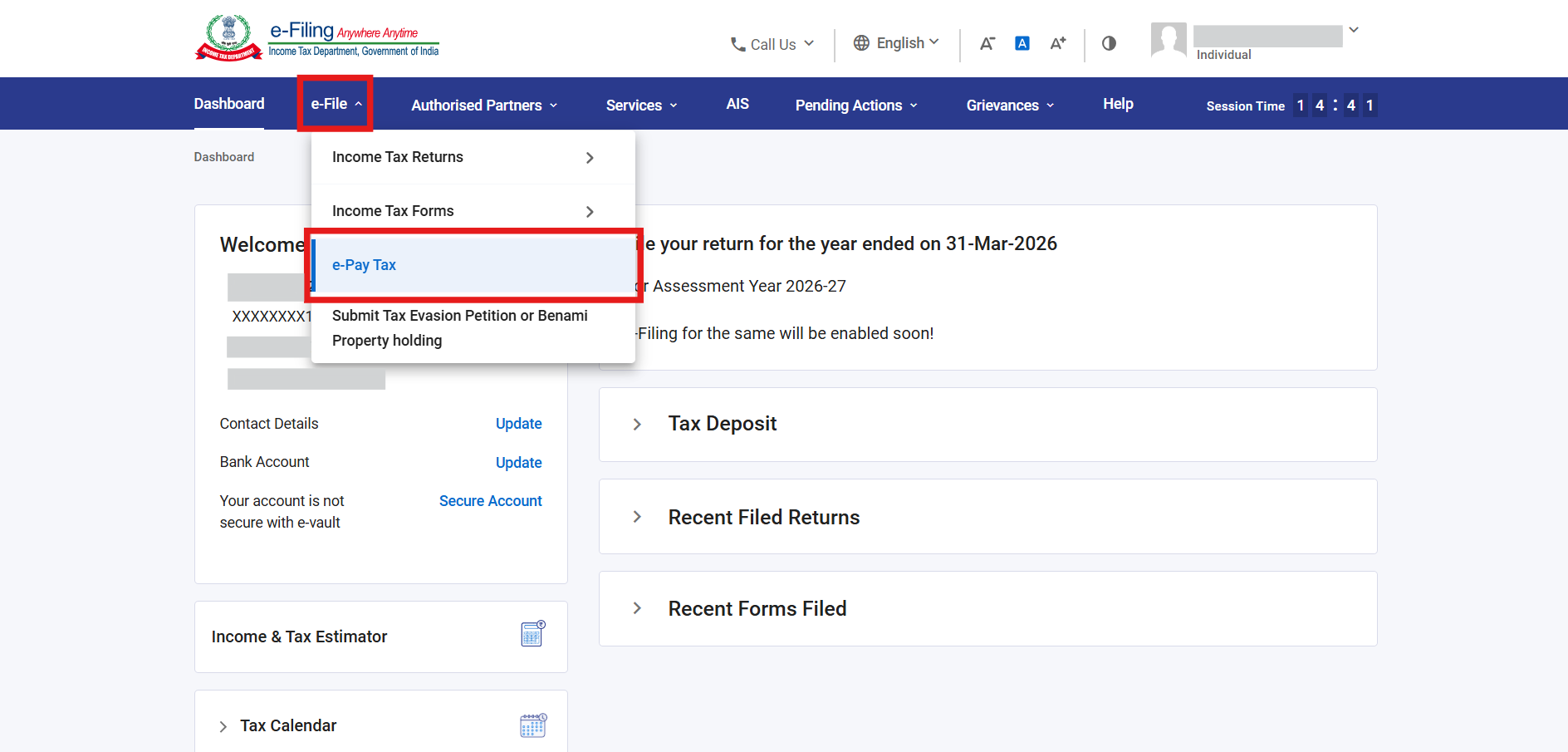
- Navigate to e-File > e-Pay Tax
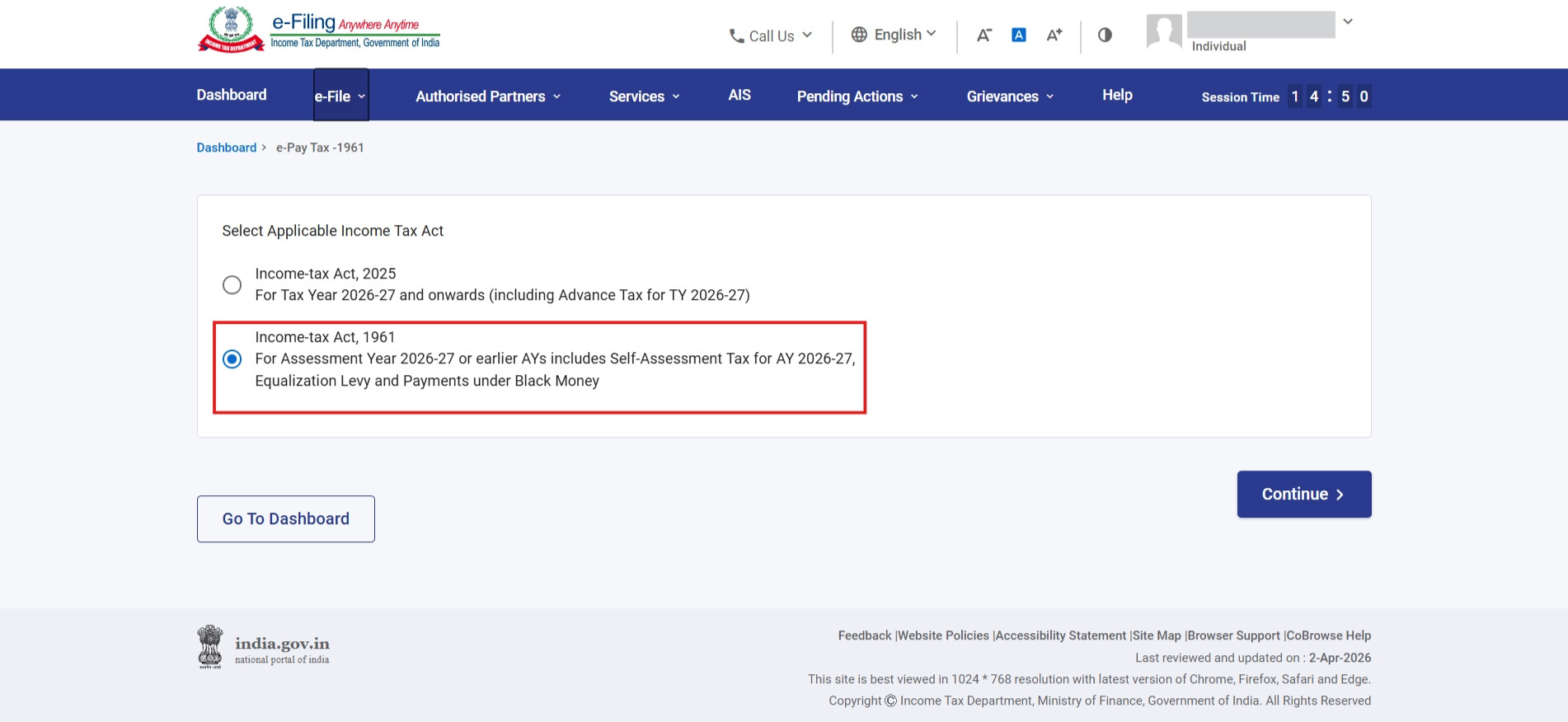
- Select the Income-tax Act, 1961, for paying self-assessment tax for AY 2026-27 or earlier AYs > Continue.
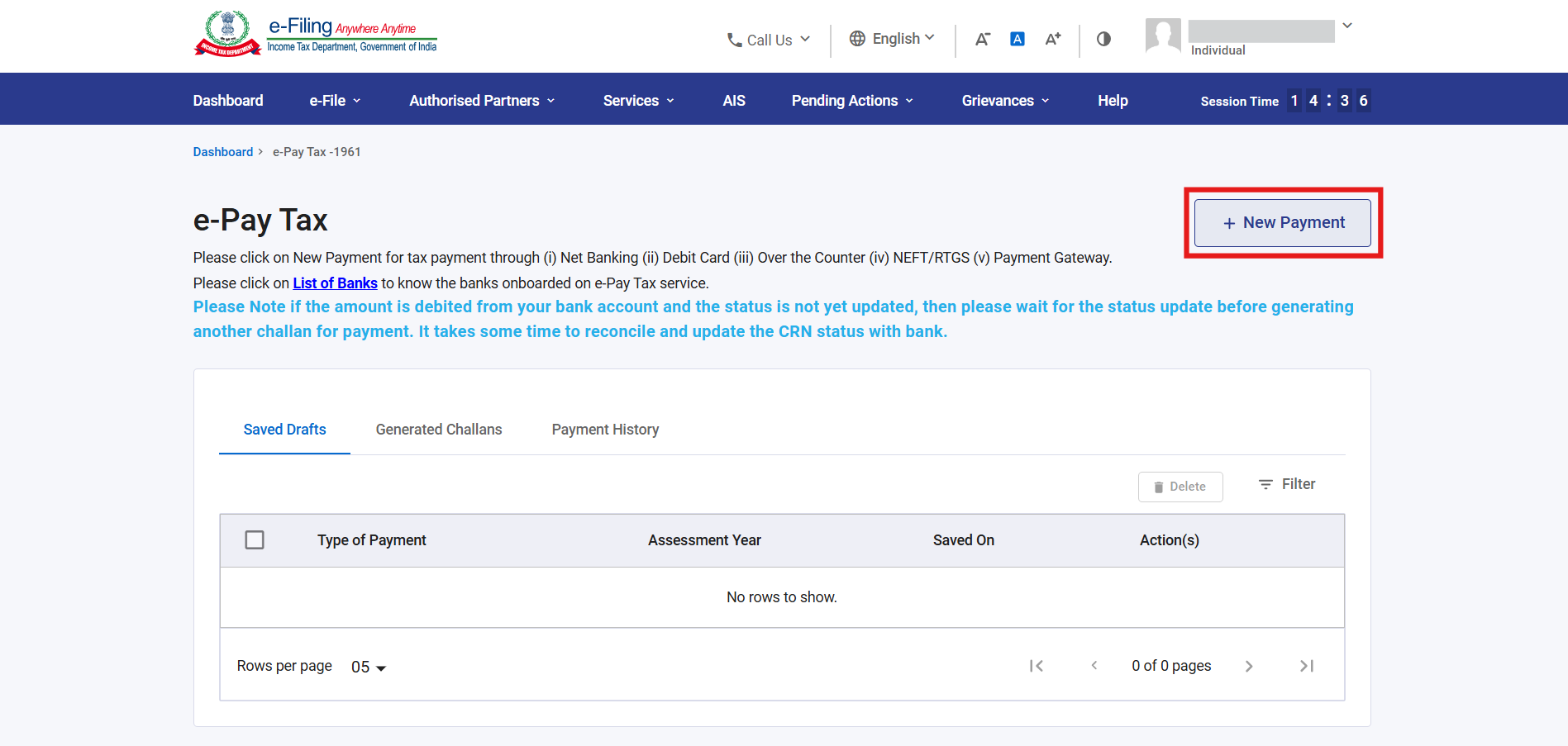
- Click on the New Payment tile to pay the tax
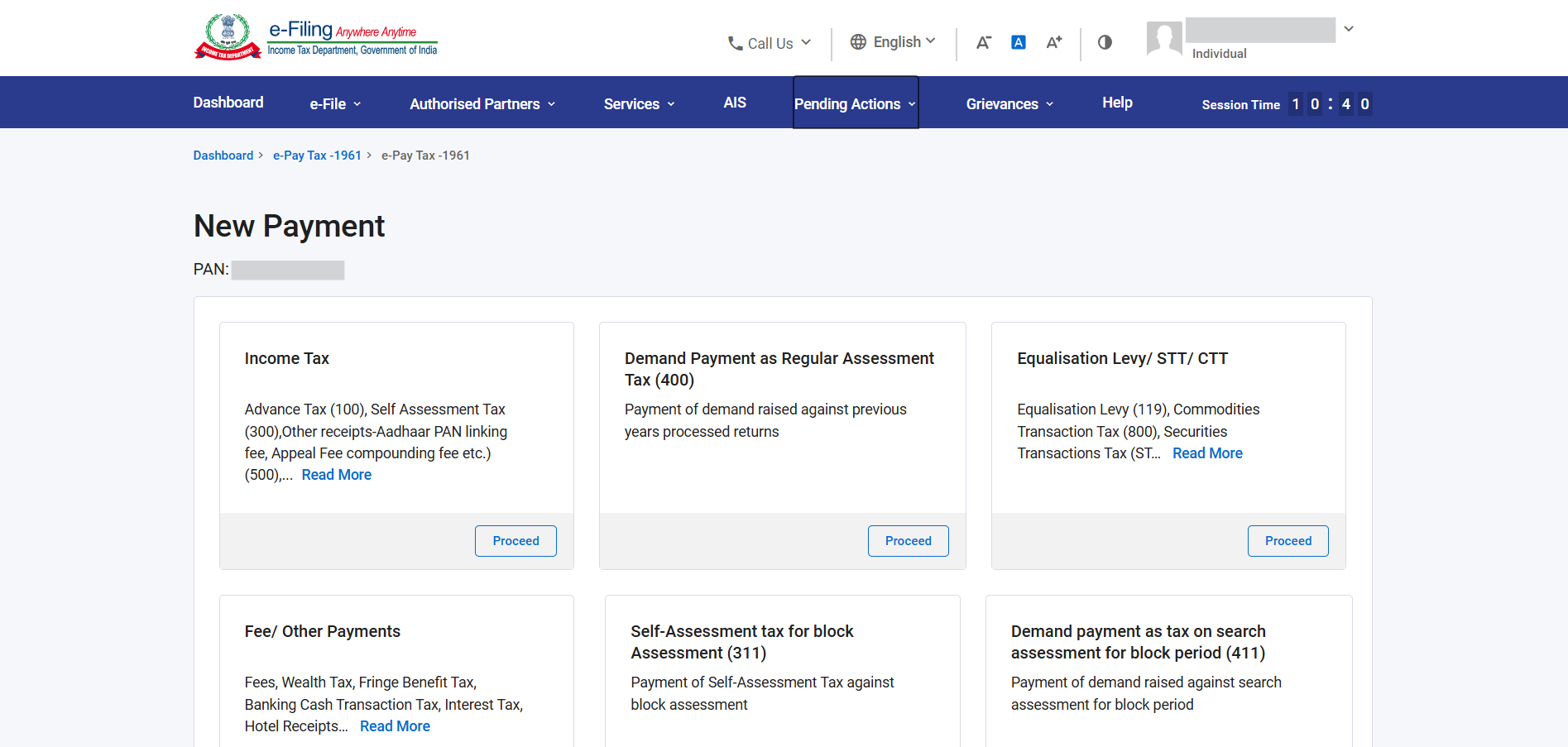
- Scroll down and select the type of tax you want to pay > Proceed
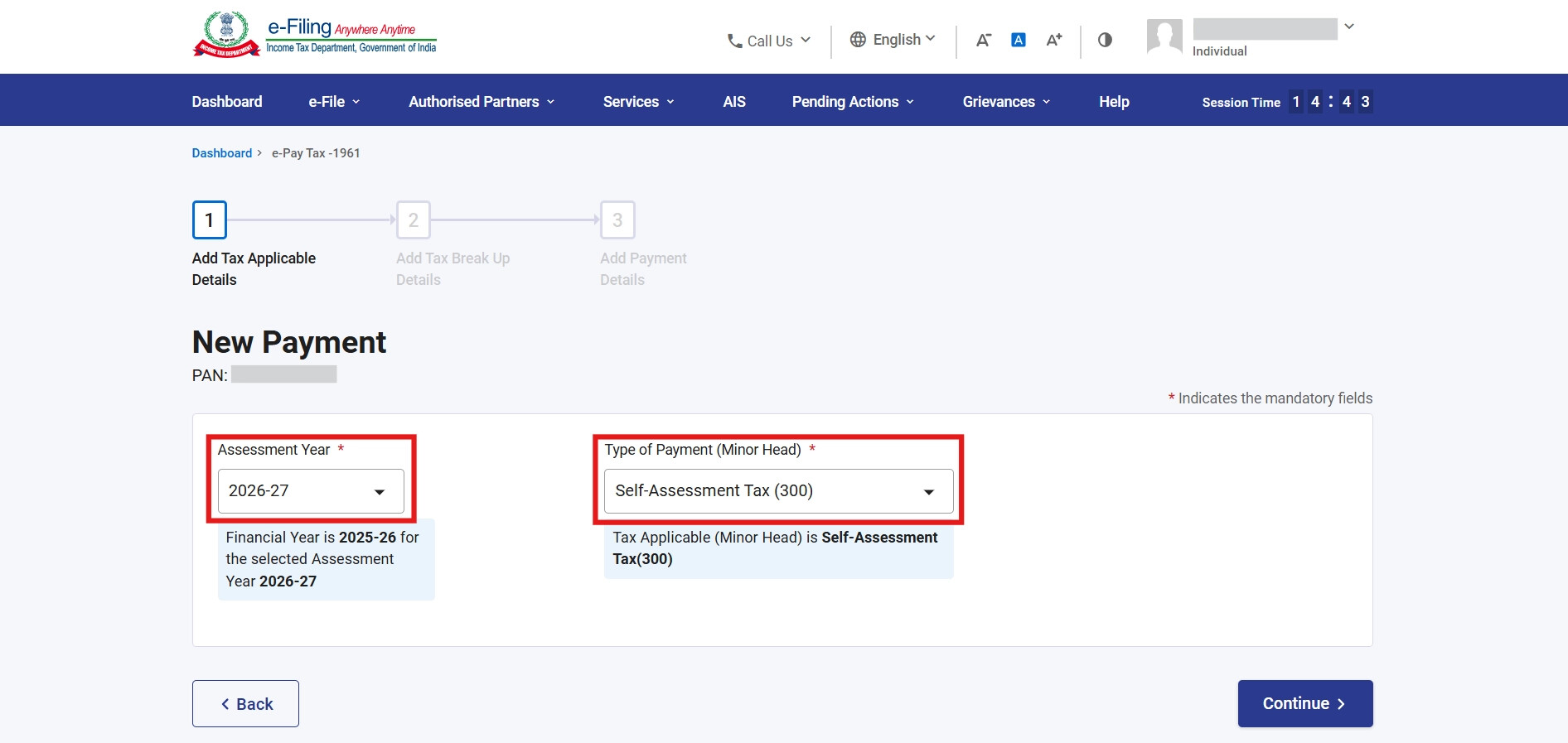
- Select the relevant Assessment Year (AY) for which you’re paying tax, select the Type of Tax Payment > Continue
Now enter the tax break-up details, and review all details on the challan preview. If everything looks correct, click Pay Now and complete the payment using your selected payment method.
After successful payment, download the challan receipt. It has the CRN (Challan Reference Number), BSR Code, and Challan Serial Number. You’ll need these when filing your ITR.
Paying tax for Tax Year 2026-27 onwards
If you’re paying tax for Tax Year 2026-27 and onwards, including the Advance Tax for TY 2026-27, you need to:
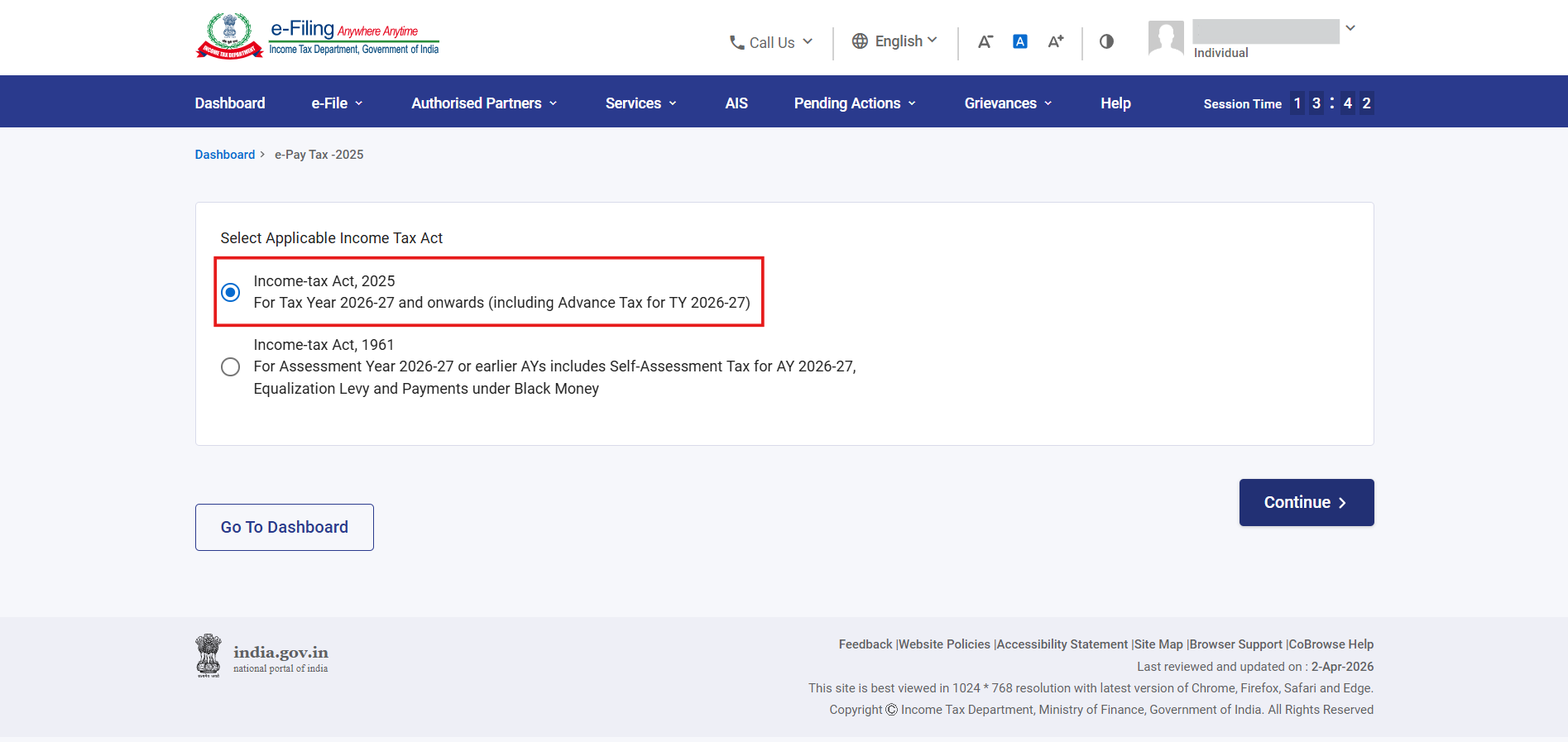
- Select the Income-tax Act, 2025 for paying tax for TY 2026-27 > Continue.
- Click on the New Payment tile to pay the tax
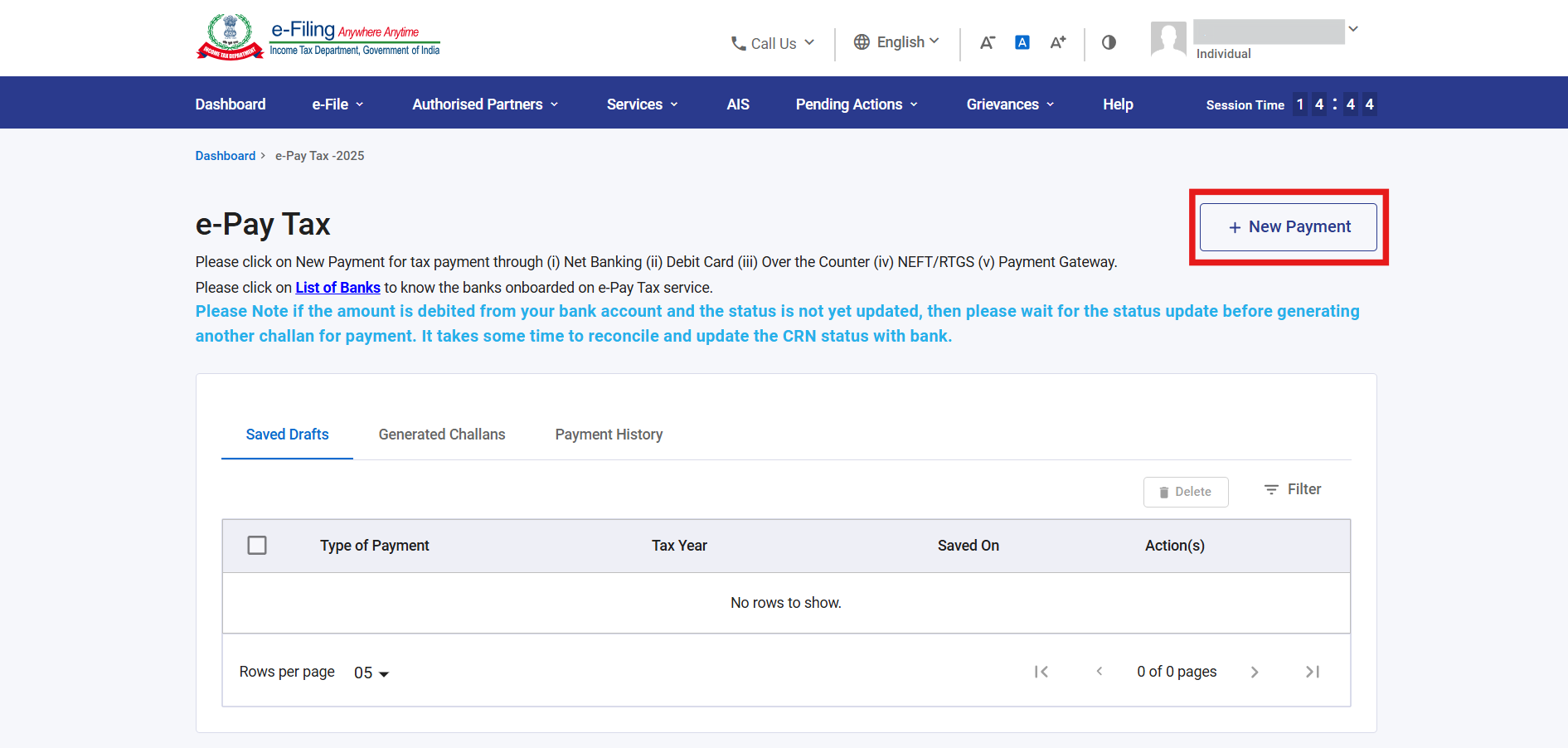
- Scroll down and select the type of tax you want to pay > Proceed
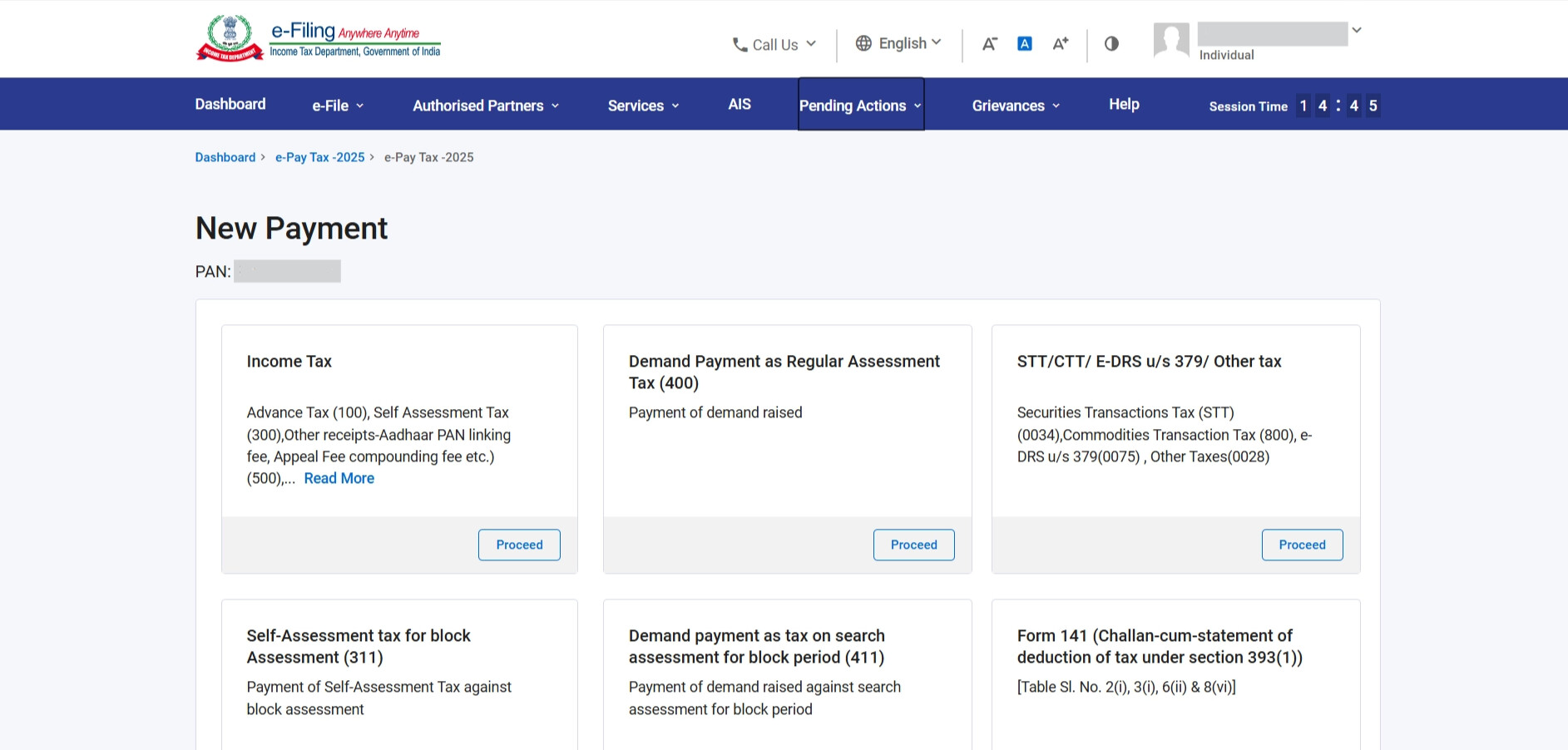
- You’ll see the option for the current Tax Year, select the Type of Tax Payment > Continue
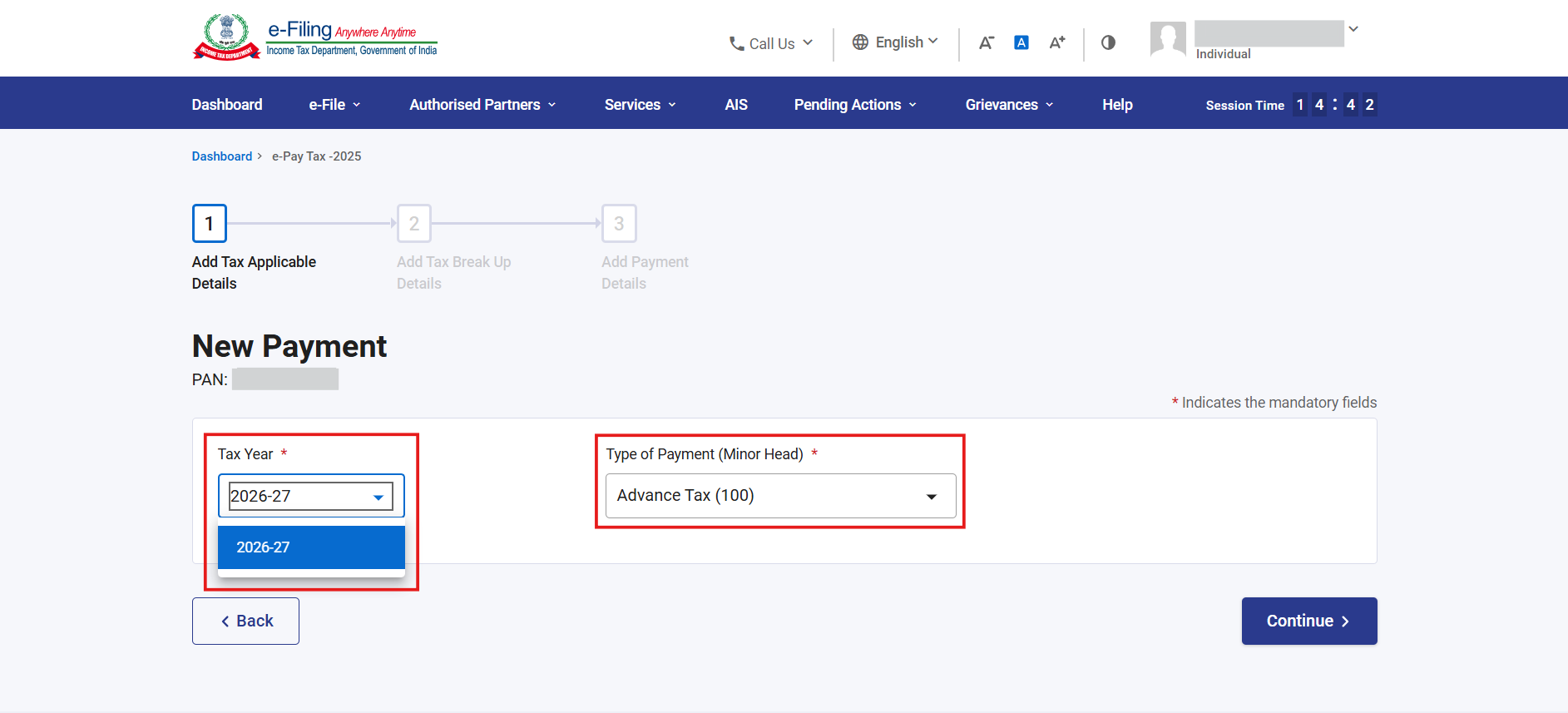
Now add the tax break-up details, and review all details on the challan preview. If everything looks correct, click Pay Now and complete the payment using your selected payment method.
After successful payment, download the challan receipt. It has the CRN (Challan Reference Number), BSR Code, and Challan Serial Number. You’ll require these when filing your ITR.
Here’s a quick reference to help you choose the right Act:
| Income period | Act to select | Year to select | Example |
|---|---|---|---|
| April 2024 - March 2025 | Income-tax Act, 1961 | AY 2025-26 | Any old dues or revised returns for FY 2024-25 |
| April 2025 - March 2026 | Income-tax Act, 1961 | AY 2026-27 | Self-assessment tax for FY 2025-26 paid in July 2026 |
| April 2026 - March 2027 | Income-tax Act, 2025 | TY 2026-27 | Advance tax for income earned from April 2026 onwards |
What if you made a mistake?
If you’ve paid to the wrong Assessment Year, Tax Year, or selected the wrong payment type, you have 7 days from the date of payment to correct the challan online through the e-Filing portal.
After 7 days, you’ll need to visit your jurisdictional Assessing Officer with a physical request for challan correction, which can take significantly longer to process.
The challan correction is only available for certain fields, such as Assessment Year, Type of Payment (minor head), and address details. You cannot change the amount paid or the major head (e.g., Income Tax vs. Corporate Tax). If you need to correct the major head, you need to contact your jurisdictional Assessing Officer.
For the complete step-by-step process on how to correct a challan online, see: Online Challan Correction on e-Filing Portal
Have you tried paying tax on the portal yet?